


Table of contents
If you want to grow your Shopify store, the Shopify Shop app is an excellent place to start. Millions of shoppers come here to discover Shopify-powered brands in one marketplace, and eligible products can appear here automatically.
In this guide, we’ll cover what the Shop app is, how it works, how to win sales, and how to grow with Shop Campaigns.
What is the Shopify Shop app?
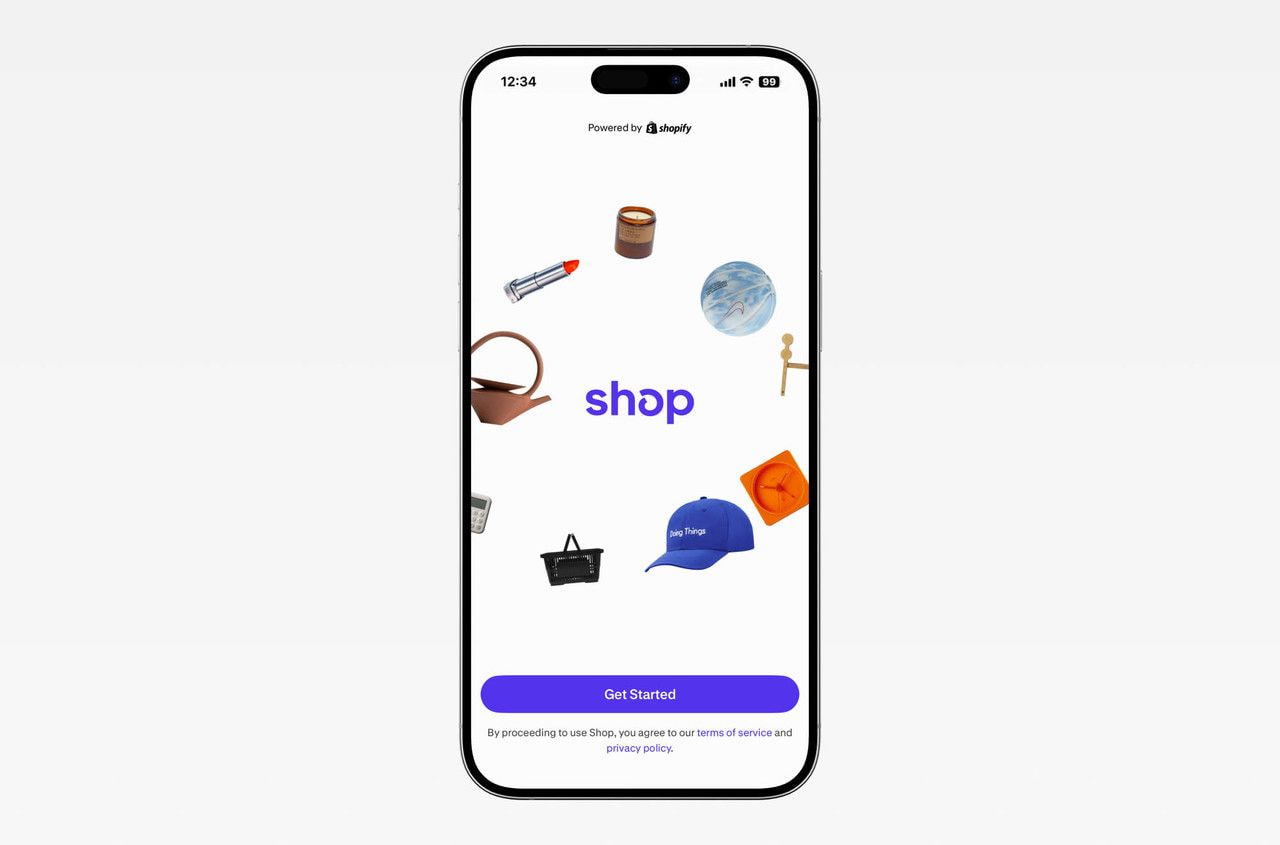
Shop is Shopify’s free online shopping app and website, where buyers browse products from various Shopify stores in one marketplace.
Here’s a quick overview:
| Question | Answer |
|---|---|
| Who uses it? | Customers browse, buy, and track packages in the free app, while merchants manage their listings from the Shopify admin. |
| What’s in it for sellers? | Access to 250 million high-intent shoppers looking to buy from Shopify stores. 48% of orders placed through or referred by Shop were a customer’s first purchase from a new brand they discovered. |
| What do you pay to sell there? | No marketplace fee – merchants pay their normal Shopify plan and card rates, plus payment processing on each sale. |
| How do stores get listed? | Automatically, if your online store meets Shopify’s requirements. |
| Can you pay for more reach? | Use Shop Campaigns to run ads on Shop and Shopify’s advertising partners. |
How the Shop app works
The Shop app is a shopping destination for customers and an extra sales channel for Shopify merchants.
For shoppers
Shop app customers can:
-
Scroll through a personalized feed built from their shopping history and unique tastes.
-
Follow stores in the app to keep up with their favorite retailers.
-
Save products to trigger alerts when a price drops or stock returns.
-
Enjoy accelerated checkout through Shop Pay, which stores their email, shipping address, and payment method for a two-tap purchase.
-
Get order information for every Shopify purchase in one place.
-
Qualify for Shop Cash rewards on eligible purchases and spend them in the app or on the shop.com website.
For merchants
Shopify sellers can:
-
Add an eCommerce sales channel without more work, since listings come from product data already in the Shopify admin.
-
Sync shopping carts both ways for customers with a Shop account, so an incomplete purchase started on your site can be finished in the app.
-
Access analytics to evaluate sales activity on the Shop app.
-
Get fewer inquiries from customers about their order status, as they can track packages themselves in the app.
How to sell on the Shop app
Selling on Shop takes three steps – getting your store listed, making your listings worth tapping, and paying for reach.
Step 1: Get your store listed on Shop
While there’s no application process to sell on the Shop app, you still need to check that nothing disqualifies your online store from appearing in the marketplace.
Meet the eligibility requirements
Shopify lists these requirements for displaying your store in Shop:
-
Your store follows Shopify’s Terms of Service and Acceptable Use Policy.
-
You’re on an active paid plan, Starter or higher.
-
Shopify Payments is activated in a country where it’s supported.
-
Your chargeback rate has stayed under 1% for the past six months.
-
At least one of your products meets Shop’s product rules.
-
The Online Store channel is live, and the site isn’t in private mode (for example, password-protected).
-
You’re not running a password control or age verification app.
Add the Shop sales channel
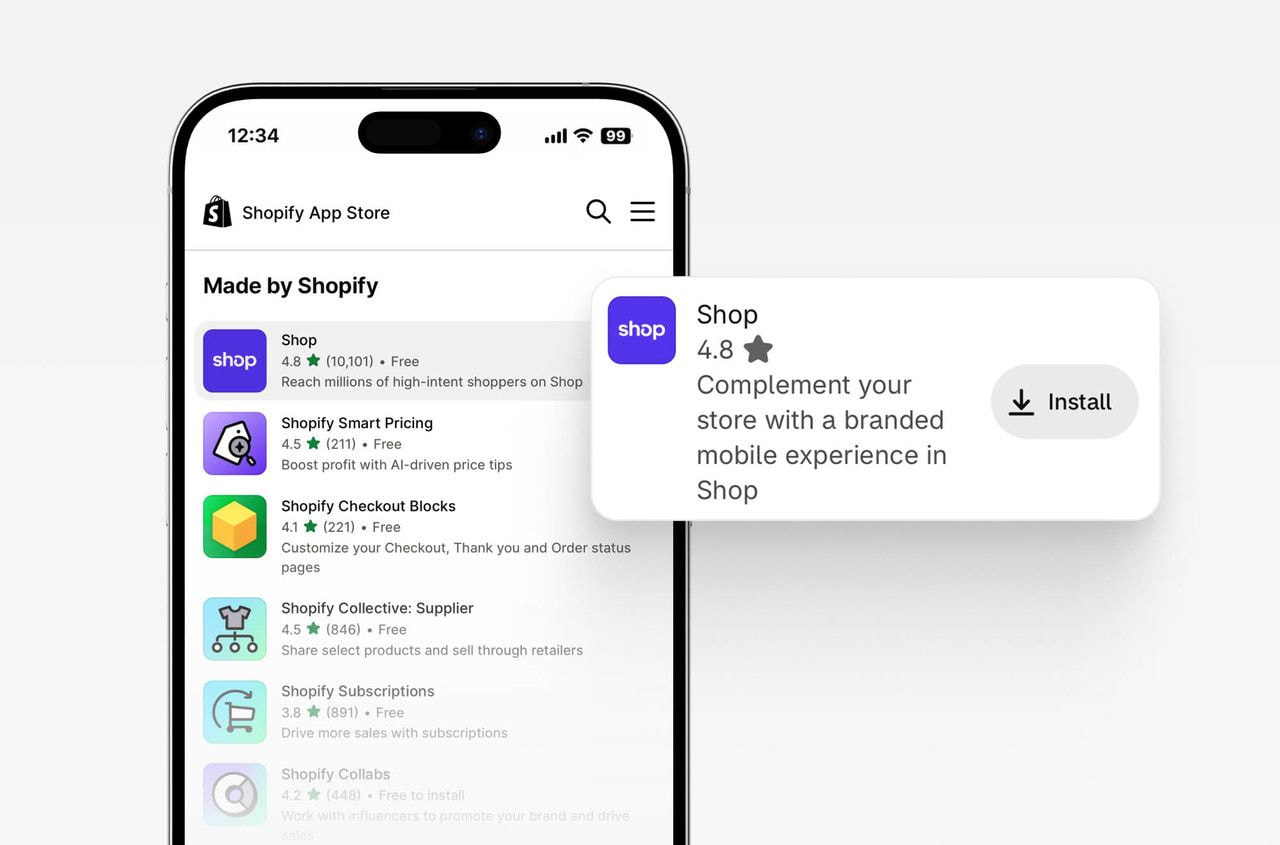
Shop orders will reach your store, whether or not you install the Shop channel. That said, adding it is still worth the five minutes because that’s where you can access the controls – Shop Store customization, product publishing, performance analytics, and your Shop settings.
Here’s how to add it:
-
Sign in to your Shopify admin and go to Settings, then Sales channels.
-
Open the Shopify App Store and search for Shop.
-
Click Install.
Then, turn on Shopify Network Intelligence in your privacy settings – the Shop channel needs it to run.
Decide where customers check out
Shop offers two selling methods:
-
Sell directly in Shop – Customers buy inside the app in a couple of taps, using accelerated checkout through Shop Pay, which already has their payment details.
-
Link to online store – Your listings get a Shop product page with images, prices, and descriptions, but the button directs users to visit your site and check out there.
Direct checkout means fewer steps and drop-offs toward sales, and that convenience is why many customers use Shop. You also need to activate it to use Shop Campaigns.
Step 2: Turn Shop visitors into customers
Now that your store is listed, it’s time to get potential customers to choose you over similar brands.
Make your Shop Store look like your brand
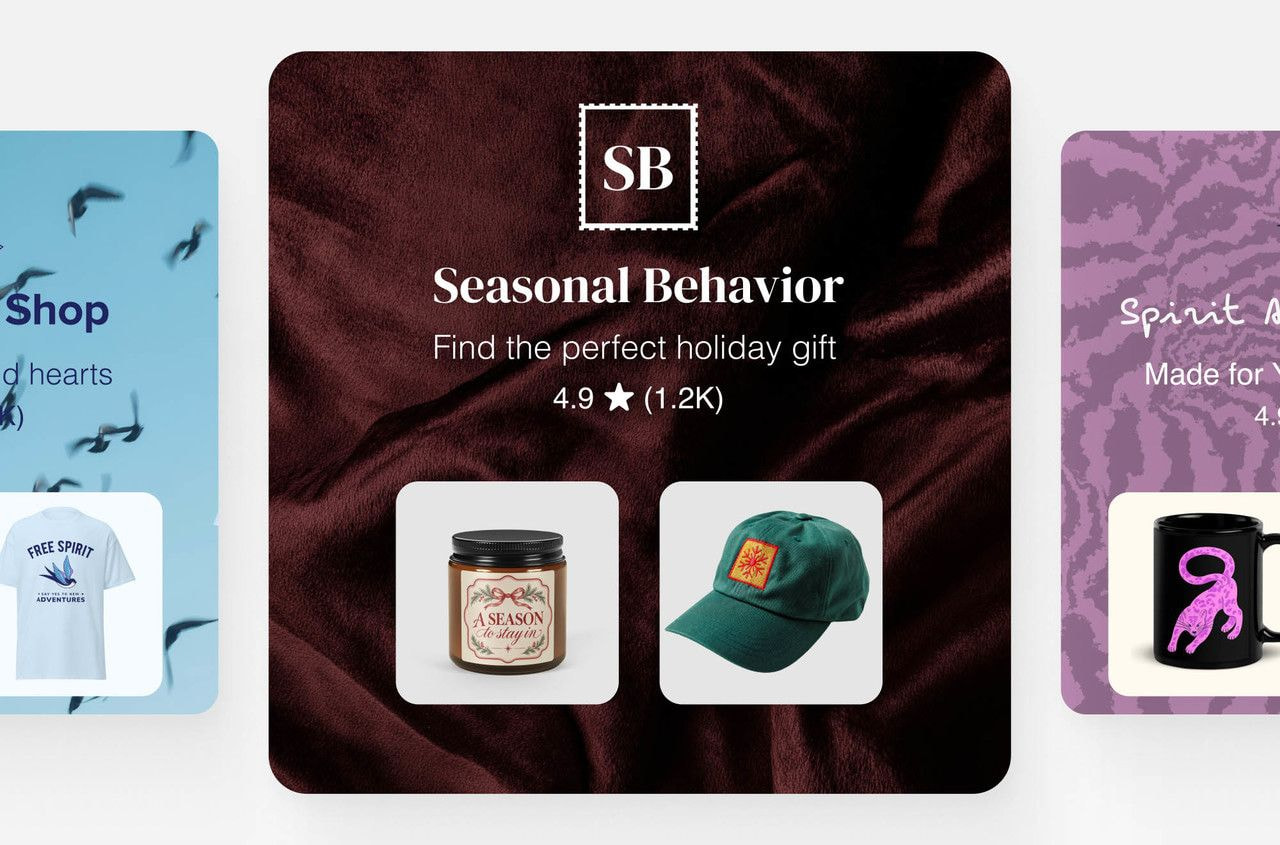
Open the Store editor in the Shop channel and set:
-
Your logo, plus a background image or video.
-
Store details – avatar, description, contact information, and social links.
-
A custom Shop URL.
Pick an avatar people recognize at thumbnail size, because it turns up in search results and recommendations. Then, arrange your product categories and collections in a way that’s helpful for new users, with your strongest Shopify sellers at the top.
Give Shop the product data it needs
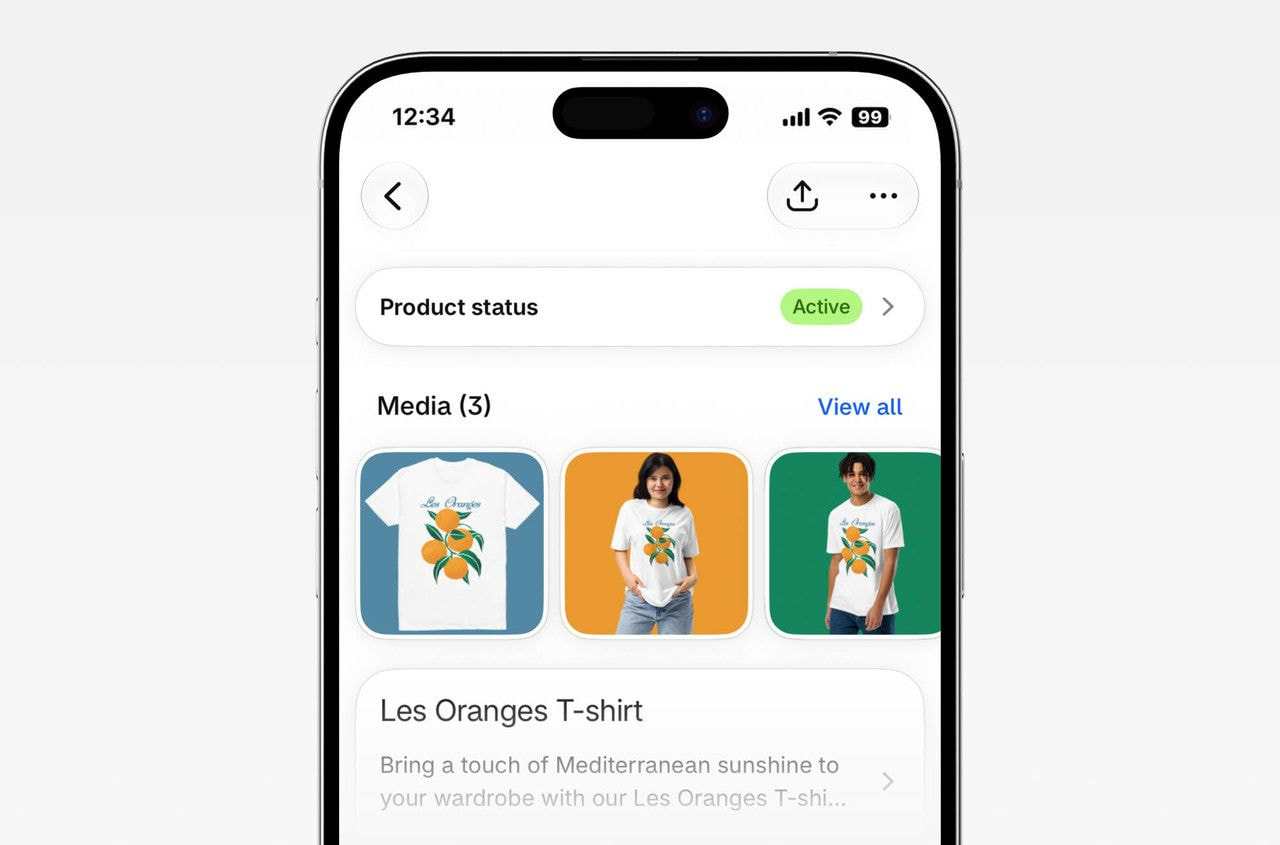
Shop pulls product information from your Shopify admin, not from your storefront. So if a sizing chart only exists as a drop-down you built into the page layout, Shop never sees it.
Make sure to fill in these product fields:
-
Title, description, and images.
-
Price, category, and variants.
-
Availability and delivery details.
Good product information pays off beyond Shop. The same listing feeds AI shopping assistants such as the Shop App for ChatGPT, so a detailed description helps buyers find you there, too.
Whenever you update your listings, check the Shop channel analytics to see whether the performance improvements show up in orders and product impressions.
Earn a place in Shop search
Being listed and showing up in Shop search aren’t the same thing.
Make sure your Shopify store uses a custom domain and store name, has a long sales history, maintains steady order volume, and has good reviews to help your products appear in Shop search.
Collect reviews that customers trust
Your ratings feed both Shop search and your ad reach, so make sure to ask for reviews from happy customers.
Time review requests anywhere from 1 to 180 days after delivery. Keep your requests neutral and, per Shop’s review guidelines, never offer money, discounts, free products, or refunds in exchange for a review. Ask for detailed feedback to make the review helpful for future, first-time shoppers.
You can also sync reviews you already collected if you use Judge.me, Loox, Okendo, Stamped.io, or Yotpo.
Publish Shop posts to reach the feed
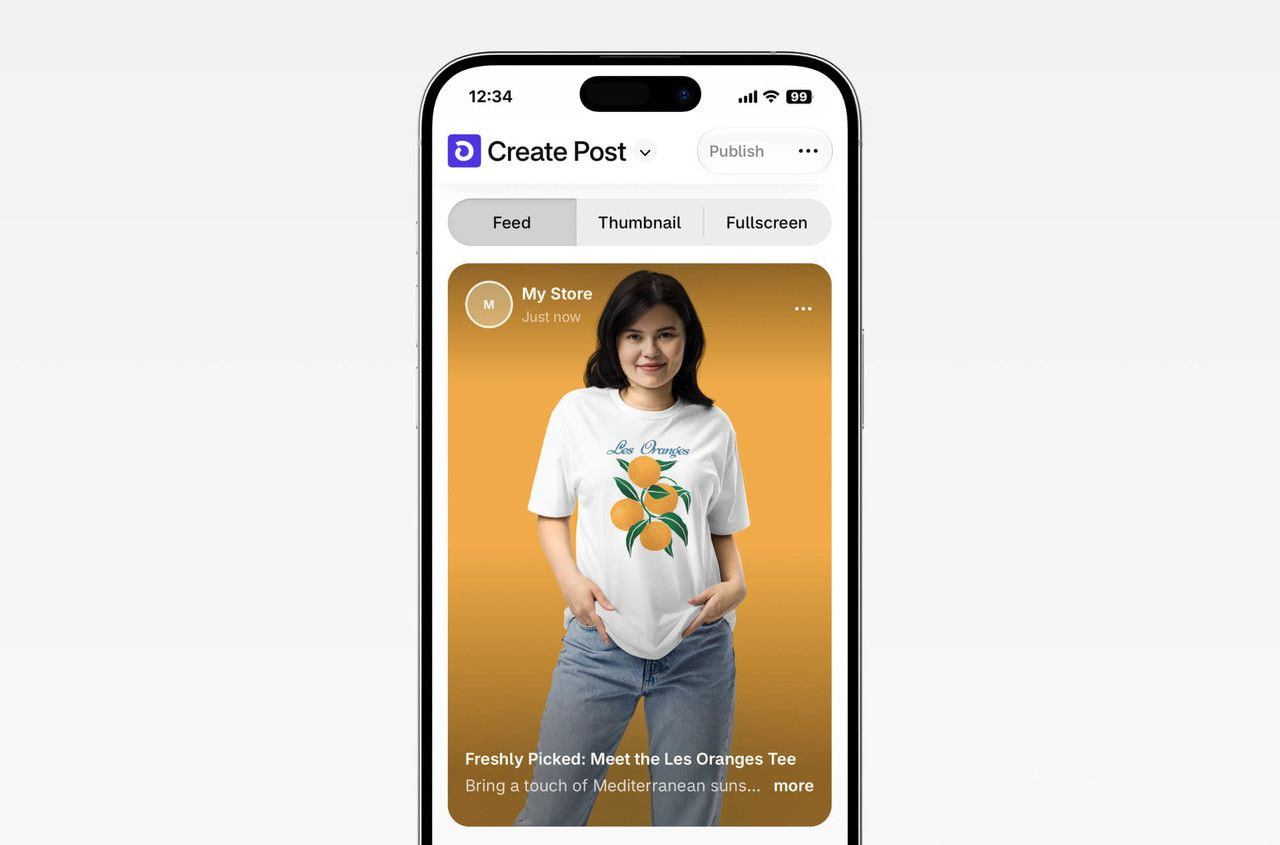
Shop posts are shoppable images and videos that appear in the Shop home feed, on your Shop Store, and in the Following tab. They put your products in front of people who weren’t looking for you, and give the shoppers who already follow you a reason to come back.
Each post can include:
-
A headline up to 50 characters.
-
A caption up to 2,200 characters.
-
Up to 20 images or videos, with videos capped at two minutes.
-
Up to 10 tagged products, or one collection.
Sellers can also connect an Instagram Creator or Business account to import Reels, images, and carousels from the past 90 days.
Step 3: Grow with Shopify Shop Campaigns
Shop Campaigns is Shopify’s advertising program for attracting customers through Shop and Shopify’s advertising partners, billed on conversions rather than impressions or clicks.
To run one, you need a business address in one of the supported countries, a supported currency for both your store and your Shopify Payments account, and direct checkout switched on in Shop.
How Shop Campaigns work

You pay only when a customer converts. There’s no upfront payment, subscription, or prefunding, and Shopify adds the charges to your usual bill rather than a separate ad account.
Attribution runs for seven days after a click, so charges can still arrive a week after you end a campaign. Shopify also keeps the acquisition charge if an attributed order is later canceled or refunded.
Is Shop Campaigns right for a small store?
Shop Campaigns suit merchants with healthy margins and products people come back for. Compare the acquisition cost you set with the profit you make on a first order. If that profit is lower, each new customer starts at a loss, and the campaign only pays off if you gain more sales.
Before creating a campaign, make sure that:
-
Your store is listed, your Shop Store is branded, and your product data is complete, so paid traffic lands somewhere that is highly likely to convert.
-
You fulfill orders within 96 hours and deliver within 10 days. Shopify scores your store against those marks, and slow numbers mean fewer people see your ads.
-
You know your margin per order well enough to set an acquisition charge that still leaves room for profit.
Do Steps 1 and 2 first, then watch your Shop channel analytics for a few weeks before spending on campaigns. If Shop already sends you orders without ads, your listings are converting, which is a good sign that paid traffic will, too.
Read also: How to make money on Shopify: Proven ways
Shop Campaign settings to get right
Shopify asks for the following data to run a campaign:
-
Average customer acquisition cost is what you’ll pay for each converted buyer – Shopify bases the minimum and recommended amounts on your average order value.
-
Target order value tells Shopify what an average conversion should be worth.
-
Daily budget is the most you want to spend in a day on average. Some days may cost more and some less, but your total for the week won’t exceed seven times the number you set.
You also need to choose which channels carry your ads. Shop and the Shopify Product Network are always included. Adding Bing, ChatGPT, Google, Meta, Microsoft Monetize, Pinterest, Snapchat, and X is optional, though several of them run in the US only.
Want to pay more for a first-time buyer than a returning one? Segment overrides let you set a separate acquisition cost for new or lapsed customers who haven’t ordered. You can’t choose which products get promoted, since Shop only pushes items it expects to perform.
How your fulfillment speed limits ad reach
Shopify decides how often to show your ads based on the experience your store gives customers. It scores the last 90 days on six signals:
-
Orders you fulfill within 96 hours
-
Orders that include order tracking
-
Packages delivered within 10 days
-
Orders that aren’t refunded
-
Orders that aren’t canceled
-
Your Shop review rating
Your store is classified as either Good or Critical, with the latter meaning fewer users will see your ads. Check your own numbers against the 96-hour and 10-day marks before you spend anything on campaigns.
What to know before using Shop
Shop handles US sales tax as a marketplace
Since January 1, 2025, the Shop channel collects, remits, and files tax on every order shipping to or within the US, regardless of your own tax settings. That includes states where you aren’t registered.
The money comes out of your Shopify Payments payouts and is labeled there. Rates follow your product categories, so make sure those are up to date. This applies to orders placed in the Shop app or on shop.com. If Shopify manages your US sales tax, your online store orders are included, too.
Disclaimer: You may still need to report these sales to your state. Always check with a tax professional to understand the regulations that apply to you.
Several Shop features are on by default
-
You can hide individual products from Shop, but you can’t remove your store from Shop search.
-
You can’t opt out of Shop Minis, the quizzes, shoppable videos, and virtual try-ons built into the app.
-
Shop can email and push reminders to anyone who browsed your online store, including shoppers you can’t identify, and you can’t edit the message or its timing.
-
Your store is entered into Shop marketing campaigns automatically.
The last two features can be disabled in the Shop channel settings. Allow five to seven days for the marketing campaigns change to take effect.
Read also: Is Shopify worth it?
Sell Printful products on the Shop app
Printful products sync to your Shopify store through the integration, so they reach Shop the same way any other listing does. We produce and ship each order, which means no inventory to count and no warehouse to stock as your channel grows.


Before selling made-to-order products on Shop, set up order processing first. Shopify merchants can let Printful import paid orders automatically, or review each one manually.
-
With the automatic option, every paid order reaches Printful on its own. Printful has to be listed as the inventory location on each product and variant, or the order never arrives.
-
If you choose the manual option, you’ll click Request fulfillment on each order yourself. Those hours count against the 96-hour mark Shopify scores when it decides how often to show your ads.
Printful sends the order tracking number to Shopify as soon as the product ships, and the status changes to Fulfilled. You’ll find the number in the Fulfillment section of the order.
Tip: Add your production and shipping times in the product description to set customers’ expectations. Visit our Shipping Speeds and Pricing page for estimated delivery times and rates.
Your Shopify Shop app checklist
Here’s how to sell on the Shopify Shop app:
-
Get listed – Check your plan, payments, chargeback rate, and product details against Shop’s requirements, then add the Shop channel.
-
Convert – Brand your Shop Store, fill in every product, sync your reviews, and publish a few posts.
-
Grow – Run a Shop Campaign once your margins can absorb the acquisition cost and you can fulfill orders quickly.
With Printful fulfilling every order, adding a sales channel won’t add to your workload. Create your first custom product, and let Shop put it in front of millions of online shoppers.
FAQ
The Shop app is Shopify’s consumer shopping app, available on iOS and Android, and on shop.com. Millions of shoppers use it to discover products from Shopify stores, check out with Shop Pay, and track packages in one place.
For commerce sellers, it serves as an additional sales channel powered by the product data already in their Shopify admin.
No. Shopify is the eCommerce platform merchants use to build and run an online store. The Shop app is a separate consumer app built by Shopify, where shoppers browse products from many Shopify stores at once. That’s the difference between the Shop app vs Shopify.
Yes. There’s no marketplace fee and no extra subscription to appear in Shop. You pay your usual Shopify plan and payment processing rates on orders. Shop Campaigns is the only paid part, and it charges per customer acquired rather than per click or impression.
No. Eligible stores and products are listed in Shop automatically, and orders come through whether or not you install the Shopify Shop channel. Installing it gives you control of the experience – Shop Store customization, publishing settings, reviews, posts, and performance analytics all live there.

Maisha is a content writer with 6+ years of experience in turning complex topics into clear, search-optimized content. She believes readability always wins, no matter how SEO trends shift. Outside of writing, she’s usually trying new recipes (but never following them), watching niche YouTube videos, or planning food-fueled adventures.

