



Table of contents
Whether you want to print one for yourself, give it as a gift, or sell it through your online store, custom calendars are one of the most practical products you can design and produce.
This guide breaks down how to create a custom calendar, the different calendar formats, design tools, print-on-demand (POD) setup, and what separates a calendar people actually use from one that ends up in a drawer.
Key takeaways
-
It takes just a few steps to create a personalized photo calendar online: pick a format, upload your favorite pictures, customize layouts, mark special dates, and send it to print.
-
Custom photo calendars come in wall and desk formats, each suited to a different setting, from a family kitchen to an office desk.
-
A well-designed personalized calendar uses your own pictures to capture special moments and important events, making it a practical gift for friends and family.
-
Photo calendar styles range from minimalist typography to illustrated themes. The right style matches your customer base.
-
Selling custom calendar prints through a POD platform saves you from purchasing and storing inventory. Orders are fulfilled individually, so you only pay when a customer buys.
How to make a calendar (quick answer)
Custom calendars can be created using drag-and-drop design tools and sold online through print-on-demand services without ordering inventory upfront.
-
Choose your calendar format.
-
Pick a design tool like Canva.
-
Add photos, holiday-themed artwork, or branding.
-
Create monthly layouts.
-
Export print-ready files.
-
Upload it to a print-on-demand platform.
-
Sell your calendars online or order for yourself.


Choose the right custom calendar type
The format you pick determines how people interact with your calendar day to day. Some use it to track a schedule, others to mark important dates like birthdays and anniversaries, or display favorite photos.
Printful currently offers two calendar formats, each suited to a different use case and display context.
Wall calendars
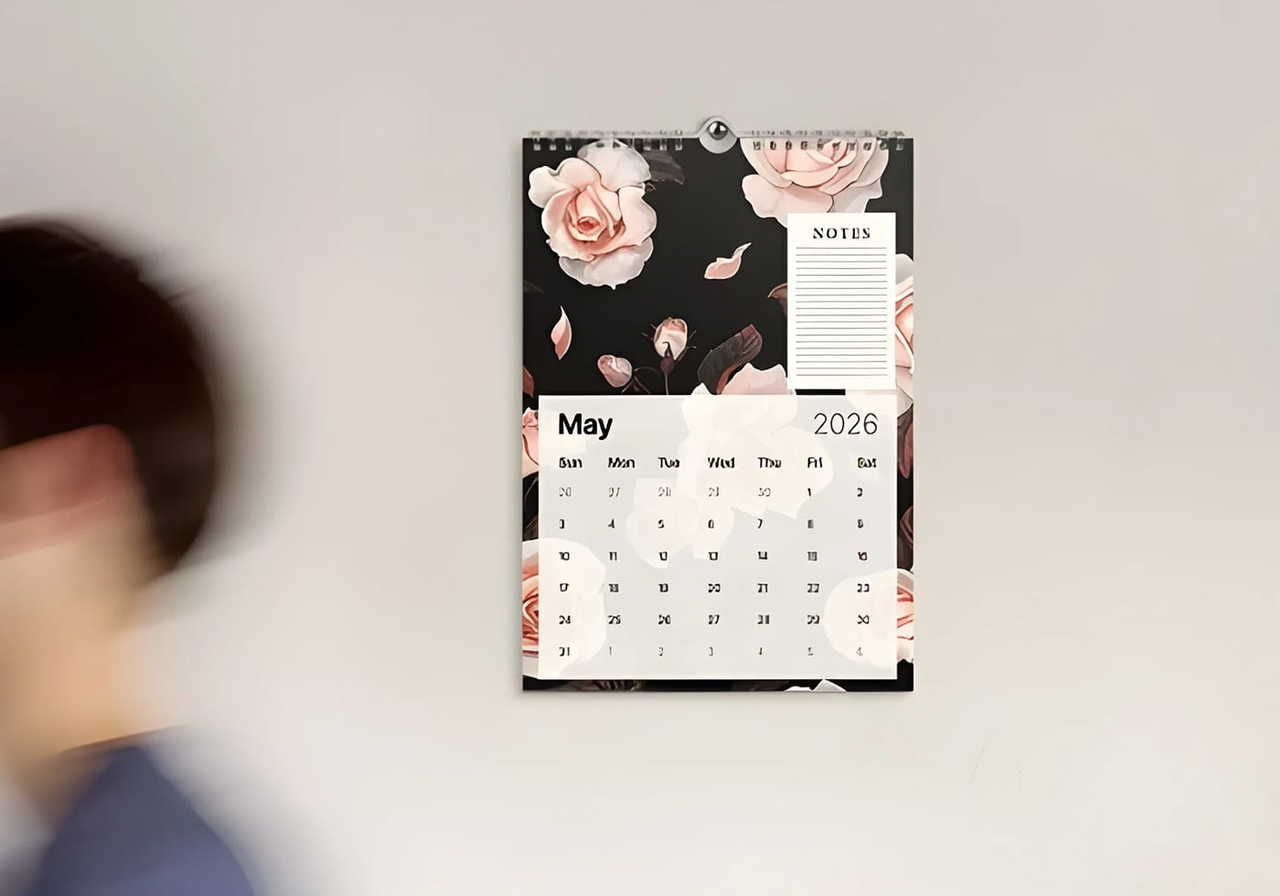
Wall calendars hang in a visible, high-traffic spot (a kitchen, office, or studio), making them a good choice for photographers, illustrators, and brands that want year-round visibility.
A standard wall calendar runs 12 months across full-page spreads. As customers see the product daily, print quality and image resolution matter more here than with almost any other format.
Wall calendars also make thoughtful gifts. Photo-based products consistently rank among the top gift items, and wall calendars fit that pattern. They’re sentimental, functional, and built around favorite memories and personal photos.
Desk calendars
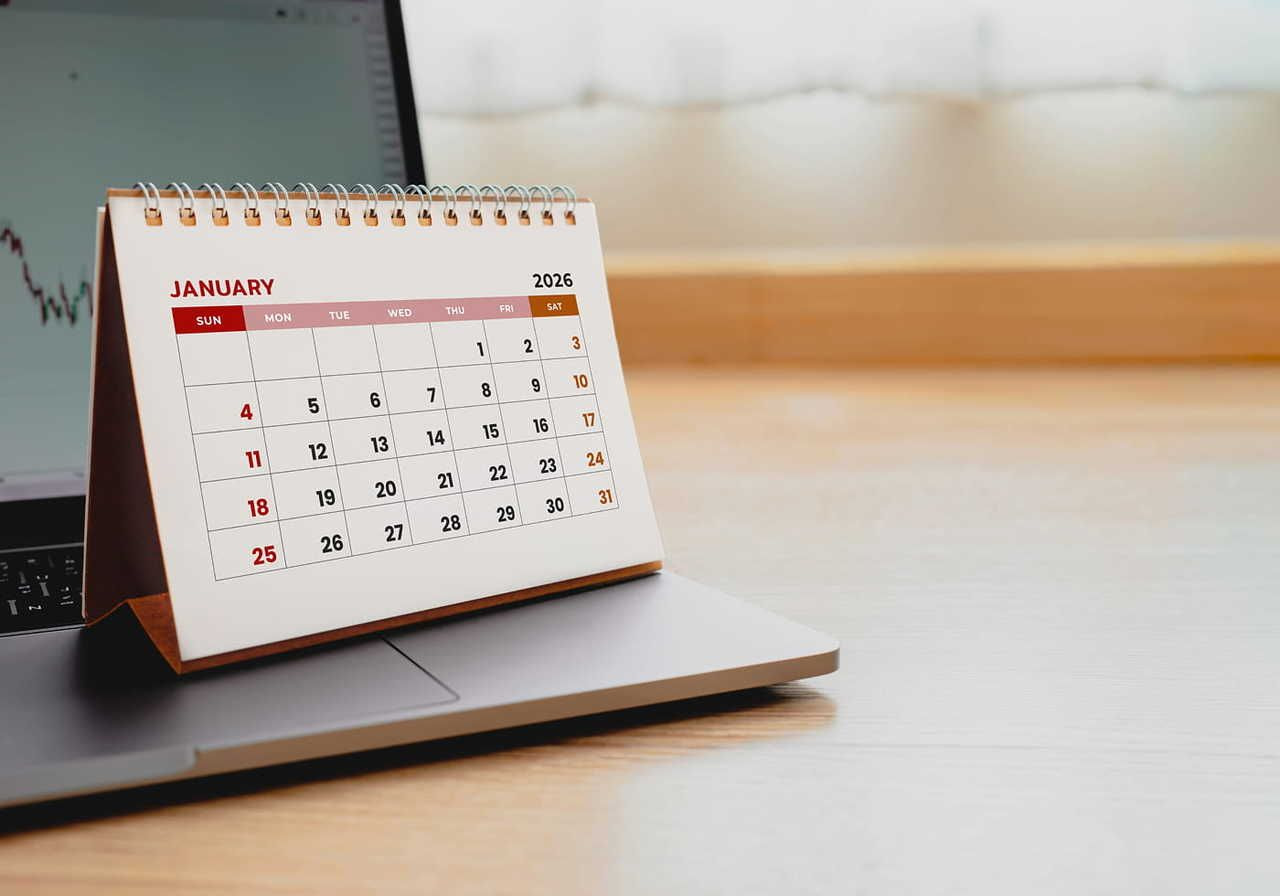
Desk calendars sit at arm's length, and buyers interact with them every day. They work well for habit trackers, motivational themes, and niche communities that want daily content rather than just a monthly photo.
The compact format also tends to cost less to produce and ship, which can improve margins when selling at lower price points.
How to make your own calendar with Print on Demand

Creating a custom photo calendar online no longer requires fancy design software or bulk orders. Upload your own photos, customize layouts, and place an order in just a few steps. Printful handles printing and shipping per order, so you pay nothing upfront and hold no stock.
Pick your calendar size and format
Before you open any design tool, decide on the physical specs, because these determine your canvas dimensions and file requirements.
-
Portrait vs landscape: Portrait orientation (taller than wide) suits photo-heavy wall calendars where vertical images are the standard. Landscape works better for desk calendars and designs with wide panoramic shots.
-
Spiral binding: Most print-ready calendars use spiral (coil) binding, which lets pages lie flat when opened. Build your design with the binding edge in mind, keeping text and important visual elements away from that area.
-
Print-safe margins: Set a bleed of at least 0.125 inches beyond your trim line and keep all critical content at least 0.25 inches inside the trim edge. Anything in the bleed zone may be cut off in production.
Create your calendar design
Printful's Design Maker includes calendar templates with pre-set dimensions, bleed zones, and grid layouts for each month.
Upload your own images, then adjust fonts, backgrounds, and color scheme. The customization options cover layout and typography, so each month reflects a consistent personal style.
If you want to explore more design tools, Canva offers a dedicated calendar maker with drag-and-drop monthly layouts. Adobe InDesign and Affinity Publisher give more precise control over typography and print specs, better suited for designers producing high volumes or selling premium products.
Whichever tool you use, export files as PDF/X-1a or high-resolution TIFF (at minimum 300 DPI) for print accuracy.
Order a calendar for yourself
Before listing your calendar for sale, order a sample to check color accuracy, image sharpness, binding quality, and whether the date grids are readable at actual size.
Screens display colors in RGB, but printers use CMYK, so what looks vivid on your monitor may print darker or less saturated in real life. Reviewing a physical copy catches those little issues before customers do.
Sell your calendars online
Connect your Printful account to a storefront like Shopify, Etsy, WooCommerce, Squarespace, or another platform of your choice. Set your retail price by adding your desired profit margin on top of Printful's base cost, then publish.
Printful handles fulfillment on each order, including shipping, so you can spend your time on marketing and designing new customized calendars.
How to design great calendars

A photo calendar works only if someone reaches for it daily to stay organized, track events, and mark special occasions. Here are the decisions that separate a calendar people keep on the wall from one they discard in February.
Choose a theme that carries across all 12 months
A calendar functions as a product with 13 pages (cover plus 12 months), and those pages need to feel like a set. Pick a visual theme before you select a single image (coastal landscapes, architectural details, dog portraits, botanical illustrations) and commit to it.
Mixing unrelated styles across months makes the product feel unfinished, regardless of individual image quality.
A consistent color scheme, font pairing, and compositional style (centered subjects vs. edge-heavy framing, for example) tie months together visually, even when the images change.
Match your images to the right month, not just any month
A snowy mountain in July and a beach shot in December confuse the viewer and break the calendar's seasonal logic. Align imagery to the month it represents, not because every customer will notice immediately, but because the mismatch registers as a small, cumulative irritation over a year of daily use.
For niche calendars (wildlife, travel, food), map content to seasons even when the theme isn't explicitly seasonal. A farmers' market calendar, for instance, should show root vegetables in October and stone fruit in August.
Keep layouts clean so the dates stay readable
The date grid is the reason someone hangs a calendar. If it visually competes with the photo above, the product fails its primary function.
-
Whitespace: Leave adequate padding between the image and the date grid. Crowding the two together makes both elements harder to read.
-
Typography: Use a legible sans-serif font for dates, such as Inter, DM Sans, or Helvetica Neue, at a minimum of 10pt at print size. Decorative fonts may suit the month headers, but the date numerals need clarity above style.
-
Readability: Avoid placing the date grid over a busy photographic background. Use a solid color band, a frosted overlay, or simply end the photo above the grid entirely.
Best calendar design ideas for 2026

These calendar styles are gaining traction in 2026 across both wall and desk formats.
AI photo-art calendars
Designers use AI image tools to generate cohesive illustration sets in a defined style (ink wash, geometric, or retro poster) and build each month around one image. The visual consistency is easier to achieve than curating 12 matching photographs.
Minimalist typography calendars
Text-only designs with large numerals, a restrained two-color palette, and a single accent typeface. These sell well in office and home-office contexts where a busy photo calendar would feel out of place.
Travel photography calendars
High-resolution landscape and cityscape images by region or theme. These are especially great ideas for photographers with an existing audience who want something in addition to prints.
Funny illustrated calendars
Single-panel illustrations or comic strips keyed to each month's events or seasons. A strong niche product for illustrators with social followings.
Wellness and habit tracker calendars
Each month page includes a habit grid, a weekly reflection prompt, or a goal-setting section alongside the standard date grid. Useful to the buyer beyond basic scheduling.
Astrology calendars
Monthly spreads tied to zodiac seasons, moon phases, and planetary events. A committed niche with consistent annual demand and a buyer who purchases early.
Pet photo calendars
Offer cute animal caricatures, or let buyers upload images of their own pet for an adorable, gift-worthy photo calendar.
Niche community calendars
Targeted at a specific hobby, profession, or subculture, like beekeeping, vintage cars, and architectural history. Niche calendars face less competition and attract buyers willing to pay more for something tailored to their interests.
Common mistakes when creating custom calendars
Catch these issues before sending your calendar to print or receiving a message from an unhappy customer.
-
Low-resolution images: Files below 300 DPI print with visible pixelation. Check resolution at final print dimensions, not screen size.
-
Forgotten bleed and safe zones: Images that don't extend to the bleed line leave white edges after trimming. Text too close to the trim edge gets cut off.
-
Overcrowded layouts: Fitting too many design elements on one page reduces readability and makes the grid harder to use.
-
Hard-to-read fonts: Decorative or thin fonts at small sizes become illegible in print. Test font choices at actual print size before finalizing.
-
Inconsistent styling: Switching font families, color palettes, or layout styles between months makes the calendar feel just thrown together rather than intentionally designed.
-
Ignored seasonal themes: Mismatched imagery and months create a subtle but persistent disconnect for the buyer throughout the year.
-
Inaccurate dates: Wrong start days, missing holidays, or incorrect leap years are errors customers notice immediately, and they reflect poorly on the seller.
Start creating custom calendars today
Custom calendars combine practical function with personal design in a format that stays visible for the whole year. With POD fulfillment through Printful, you can go from a design idea to a live product listing in a single day, with each order printed and shipped on demand.
FAQ
Canva offers a free calendar maker with templates for both wall and desk formats. You can upload your own photos, adjust layouts, and export a print-ready PDF at no cost.
Printful's Design Maker also provides free calendar design tools with templates sized to Printful's print specifications, and you only pay when you place an order.
Canva is a top choice for making custom photo calendars online. It provides calendar templates, lots of design assets, and easy file downloads, so you don’t need tons of previous design experience. It’s a good starting point for those just learning how to make calendars to sell.
Designers who need precise typography control and CMYK color management get better results with Adobe InDesign or Affinity Publisher, both of which support professional print-ready file formats.

Published author, scholar, and musician, Andris draws on over 11 years of experience in and outside academia to make complex topics accessible – from SEO and website building to AI and monetizing art. Devoted to his family and self-confessed introvert, he loves creating things, playing musical instruments, and walking around forests.

