



Table of contents
Most attacks on small online stores rely on stolen passwords, outdated plugins, and phishing emails, rather than advanced hacking tools. A handful of security measures blocks most of that risk.
Here’s how to protect your online store with practical steps for first-time sellers and growing brands that protect revenue, customer trust, and the eCommerce business behind them.
Key takeaways
-
Multi-factor authentication and unique passwords stop most account takeovers on your store, email, payment, and Printful accounts.
-
Hosted platforms like Shopify, Squarespace, and Wix handle servers, SSL, and PCI compliance for their built-in checkout. WooCommerce sellers manage hosting, updates, firewalls, and backups themselves.
-
Secure payment gateways keep card numbers off your systems and shrink your PCI DSS scope.
-
A written incident response plan and tested backups shorten recovery after a security breach.
Run your store on Printful’s 2FA-protected Dashboard with in-house fulfillment.


What eCommerce security means for a small online store
eCommerce security covers four areas: your accounts, your store, your customers’ personal and payment data, and your money. Secure eCommerce combines platform protections with daily habits.
Across the eCommerce industry, attackers use bots that scan thousands of stores and try leaked passwords on each one, no matter how small the store is. IBM’s 2026 Cost of a Data Breach Report puts the global average cost of a breach at $4.99M, a record high.
When sensitive customer data leaks in a data breach or any other security breach, the damage spreads in several directions:
-
Financial fraud through stolen payouts, unauthorized charges, or refunds sent to attacker accounts
-
Identity theft for customers whose names, addresses, and emails attackers reuse in scams
-
Chargebacks that cost you the sale, the product, and a dispute fee
-
Payment account restrictions, since card networks run monitoring programs for merchants with high dispute and fraud rates
-
Reputational damage that makes it harder to maintain customer trust
Common cyber threats facing eCommerce websites

Most cyber threats aimed at eCommerce websites fall into five groups. Each comes with one warning sign that helps you catch potential threats before attackers steal sensitive data.
Phishing and account takeover
Phishing attacks use fake emails, texts, or login pages to collect login credentials for your store, email, or payment accounts. A common version poses as platform support and threatens a store suspension.
Once attackers gain access to one user account, they try the same password on your other accounts. Similar messages trick customers into sharing personal or financial information. Watch for urgent messages that link to fraudulent websites with slightly misspelled URLs.
Payment fraud and fraudulent transactions
Fraudulent transactions happen when someone pays with stolen credit card details. The real cardholder disputes the charge, and you lose the sale and pay a chargeback fee. Fraudsters also run card testing, placing many small orders to find out which stolen cards still work.
Watch out for a burst of small orders with repeated failed payments on the same card.
Malware and card skimming
E-skimming attacks inject malicious code into checkout pages to copy payment details as customers type them. Other malicious software creates hidden admin accounts, and ransomware locks you out of your files until you pay.
Self-hosted stores with outdated plugins or themes face the highest risk, since attackers use known flaws in that code to steal data. Watch for unfamiliar scripts, files, or admin users you didn’t add.
SQL injection and cross-site scripting
SQL injection exploits vulnerabilities in website input fields. Attackers type malicious SQL code into a search box or form, and a vulnerable site runs it against the website’s database. Cross-site scripting plants a harmful script on a page that then runs in your visitors’ browsers.
Hosted platforms patch the code behind their checkout and admin, while self-hosted stores need to patch their own. Watch for strange text, pop-ups, or redirects on your pages.
Weak links in third-party apps
Every app, plugin, or integration you install gets some access to your store. Unvetted apps with broad permissions create security gaps. If an app’s developer suffers a breach, your orders and customer information can leak too. Watch for apps that request far more permissions than their job requires.
How security works on your eCommerce platform
Security on any eCommerce platform follows a shared responsibility model. Hosted platforms like Shopify, Etsy, Squarespace, and Wix run the servers for you and include SSL certificates. Shopify and Wix state that they hold PCI DSS Level 1 certification, and Squarespace states that its built-in payment processor integrations comply with PCI DSS. Self-hosted stores built on WooCommerce put hosting, updates, firewalls, and backups on you.
Passwords, staff access, apps, and fraud review stay yours on every platform. Payment platforms work the same way. Stripe describes PCI compliance as a shared responsibility between Stripe and the businesses that use it.
|
Platform type |
Examples |
What the platform handles |
What you handle |
|
Hosted |
Shopify, Etsy, Squarespace, Wix |
Servers, hosting, SSL certificates, core software updates, and PCI compliance for the built-in checkout |
Passwords and MFA, staff access, third-party apps, fraud review, backups of your own store data, and any customer data you export |
|
Self-hosted |
WooCommerce |
The WooCommerce plugin code and its security releases |
Hosting, SSL, updates for WordPress, plugins, and themes, firewall, backups, PCI scope, and everything hosted sellers handle |
Secure eCommerce platforms give you a secure environment and built-in security services, but you still have to develop the habits described below to cover the rest.
eCommerce security best practices to protect your online store
These eCommerce security best practices run roughly in order of impact. The security practices that cost money mainly apply to self-hosted stores.
1. Turn on multi-factor authentication everywhere
Turn on multi-factor authentication (MFA) for your store admin, email, Printful account, payment provider, and bank account. MFA asks for a second code after your password. Stolen login credentials alone can’t open the account.
Start with email, since it can reset every other password. Shopify supports authenticator apps, SMS, and security keys, and Etsy requires 2FA when sellers open a new shop. Choose an authenticator app or security key over SMS where possible. CISA recommends against SMS codes because text messages travel unencrypted.
2. Use unique passwords and a password manager
Use unique passwords for every account. Automated attacks take passwords leaked from one site and try them on others. A password manager generates and fills in long, random passwords, and many flag breached ones. 1Password’s Watchtower, for example, lists saved passwords that appeared in data breaches. A strong password policy for staff accounts reduces the risk of account takeovers.
3. Restrict access with staff roles
Restrict access so team members and freelancers get only the permissions their work requires. Give each person a separate user account, which lets you track changes and remove one person without resetting everyone’s password. Shopify lets owners assign roles and permissions to staff, and Stripe offers team roles for least-privilege access. Remove access the same day a project ends.
4. Use HTTPS with an SSL certificate
An SSL certificate puts the padlock and “https” in the browser bar. It creates an encrypted connection between your store and each visitor, which keeps logins and online transactions unreadable in transit. The name comes from secure sockets layer, though modern sites use its successor, transport layer security (TLS). Every eCommerce site needs one. Shopify, Squarespace, and Wix include free SSL certificates, while self-hosted sellers need to confirm theirs renews automatically.
5. Take payments through secure payment gateways

Use established, secure payment gateways and leave payment processing to them. Never store card numbers or ask for payment information by email or direct message. PCI DSS, the card industry’s standard for protecting cardholder data, applies to businesses that accept card payments, and v4.0.1 has been its only active version since the end of 2024. Hosted gateways like Stripe Checkout collect payment card data in fields served from the provider’s own servers. Many gateways also use tokenization, which replaces card numbers with unique tokens that attackers can’t use as card numbers. Keeping cardholder data off your systems shrinks your PCI scope, and merchants still confirm compliance with their payment provider.
6. Keep your platform, themes, and plugins updated
On self-hosted stores, apply security patches for WordPress, WooCommerce, your theme, and plugins as soon as they ship. WooCommerce’s security guide recommends automatic updates for WordPress core and regular checks for plugin updates. Delete plugins and themes you don’t use, since inactive code can still hide security gaps. Hosted platforms update their core software for you.
7. Add a firewall and run regular security scans
A web application firewall (WAF) filters traffic before it reaches your site and blocks common exploits, including SQL injection. Security software that runs regular security scans catches malware and outdated code before attackers find them.
A content delivery network (CDN) or anti-DDoS service protects against distributed denial-of-service (DDoS) attacks, which flood a site with fake traffic until it goes down. These tools matter most for self-hosted stores, since hosted platforms protect their own infrastructure.
Cloudflare includes a managed WAF ruleset on its free plan, and its Pro plan costs $20 per month billed annually.
8. Audit your apps and integrations
Every few months, check whether each connected app, including fulfillment connections, still needs its access. Uninstall anything unused, then confirm the connection also closed on the other side.
Printful, for example, keeps a store listed as connected until you remove it in the Printful Dashboard, even after you uninstall its app from your platform.
9. Watch for suspicious orders and activity
Catch fraudulent transactions before fulfillment. Common red flags include:
-
Billing and shipping addresses in different countries
-
Several declined payment attempts before one goes through
-
Orders far larger than your typical order
Shopify’s fraud analysis rates each online credit card order as a low, medium, or high risk of a fraud chargeback. Login alerts and regular checks of account activity logs catch suspicious activity and unauthorized access attempts early.
10. Back up your store regularly

Regular backups let you recover quickly from ransomware, a bad update, or accidental data loss. Self-hosted stores need automated, off-site backups of site files and the website’s database.
Hosted platforms protect their own systems, and Shopify points merchants to CSV exports or a backup app for their own store data. Test a restore at least once to confirm the backup works.
11. Handle customer data in line with data protection laws
Good data protection starts with data minimization. Collect only the customer information each order needs, and don’t store sensitive data like financial data yourself. Encrypt any sensitive customer information you keep, both in transit and at rest, and publish a clear privacy policy.
-
If you sell to the EU, the General Data Protection Regulation applies, and fines reach up to €20M or 4% of a company’s global annual turnover.
-
US state privacy laws add their own rules. California’s law, for example, gives consumers the right to know what personal information a business collects about them. Data protection laws vary by location, and this section offers general information only.
12. Train your team and avoid public Wi-Fi for admin work
Show everyone who touches your store how to spot phishing attacks: urgent tone, odd sender addresses, and links that don’t match the real site. Repeat the training every few months, since phishing tactics change.
Avoid managing your store on public Wi-Fi at cafes or airports. Use a trusted internet connection or your phone’s hotspot instead.
How to keep your Printful account and store connections secure
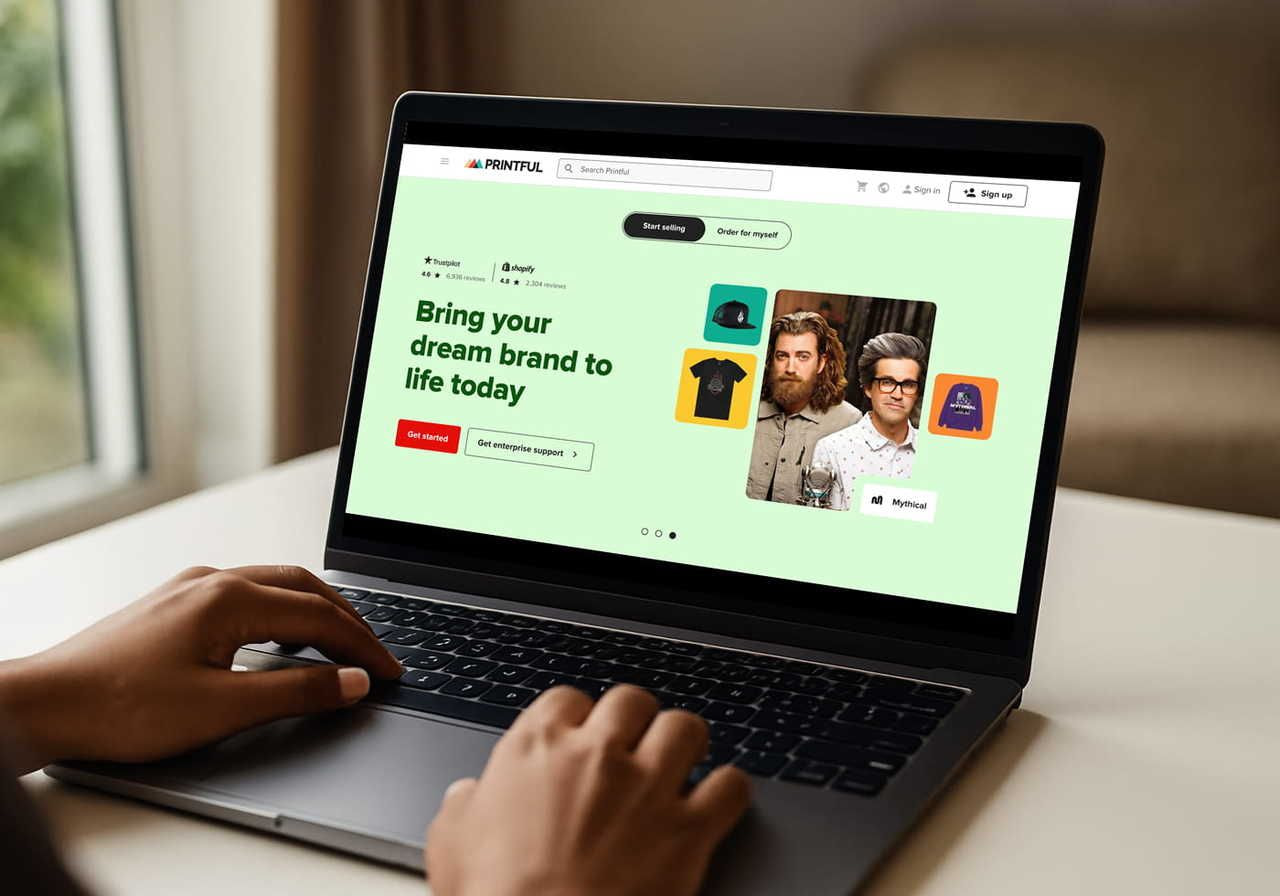
Your Printful account connects to your store, holds billing details, and sends orders into production. These steps keep this part of your secure eCommerce setup tight:
-
Turn on two-factor authentication. Go to Settings > Security > 2FA and set up an authenticator app or SMS codes.
-
Review team access. Under Settings > Users, give each person the Admin, Manager, or Designer role and remove people who’ve left. Managers and Designers can’t open billing.
-
Remove stores you no longer use. Uninstalling the Printful app from your platform doesn’t fully disconnect the store. Go to Settings > Store settings > General and click Remove.
-
Revoke unused API tokens. Custom integrations use Private Tokens from the Printful Developers portal. You can revoke a token instantly and limit each one with scopes.
-
Keep billing details current. In Wallet > Payments, delete expired cards and payment methods you no longer use.
Tip:
Read our print-on-demand tips for new eCommerce stores to set up products, pricing, and marketing.
What to do if your eCommerce store gets hacked
Work through these steps in order as soon as you spot a security breach:
-
Change passwords and sign out other sessions. Start with your email, then your store admin, payment provider, and Printful.
-
Turn on MFA for every account that didn’t have it.
-
Contact your platform and payment provider. Their support teams can spot activity you can’t see.
-
Check for unknown changes to staff accounts, apps, payout details, or bank account information.
-
Restore a clean backup on self-hosted stores, then patch the weakness attackers used.
-
Notify affected customers and authorities where required. If attackers managed to steal sensitive information, tell customers what happened and what to do next. The FTC’s data breach response guide covers US steps, and the GDPR sets EU requirements.
-
Document what happened, including dates, affected accounts, and every action you took.
Write these steps into an incident response plan before you need it, with support contacts for each provider.
Help your customers shop safely and maintain customer trust

A few visible signals make shopping online with you safer:
-
A real contact page and easy-to-find shipping, return, and privacy policies
-
A custom domain that matches your brand
-
Public warnings when fraudulent websites copy your brand, with a list of your official channels
-
A clear statement that you never ask for card details by email or direct message
Use your FAQ page or emails to share online shopping tips: check the URL before entering details, use mobile data instead of public Wi-Fi for payments, and recognize your official emails. Encourage strong, unique passwords for customer accounts, plus credit monitoring or bank transaction alerts to catch identity theft early.
Tip:
Avoid the most common mistakes Printful customers make when they set up a store.
Make online store security a regular habit
The highest-impact steps fit into one afternoon: turn on MFA, switch to unique passwords, take payments through trusted gateways, update your software, and review who has access. A quarterly check of apps, staff accounts, backups, and fraud settings keeps online store security current as your store grows.
Printful runs print-on-demand production and fulfillment in its own facilities, leaving you more time to grow and protect your brand.
Start your Print on Demand store with Printful.
FAQs
For most small sellers, a hosted platform like Shopify, Squarespace, or Wix offers the most secure eCommerce platform setup, since the provider manages servers, SSL, and checkout security. Self-hosted WooCommerce stores can reach the same level when owners keep up with updates, backups, and firewalls. Passwords and staff access stay the seller’s job on every platform.
Yes, though these providers carry most of the work. Shopify states that its Level 1 certification extends to every store on its platform. Stripe asks businesses to attest to PCI compliance once a year in its Dashboard. PayPal says its checkout products already comply, and merchants who handle card details themselves need their own certification.
Strong basics make an online store a hard target. MFA, unique passwords, limited staff access, updated software, and a short list of trusted apps block most automated attacks. Attackers scan for easy entry points, such as reused passwords or unpatched plugins, and move on when a store offers none of them.
Shoppers protect themselves by buying from stores with clear contact details and policies and by checking the URL before entering credit card details. Mobile data instead of public Wi-Fi for payments, a unique password for each store account, and bank transaction alerts add protection and help them spot fraud quickly.
Basic security for eCommerce costs little or nothing on hosted platforms. MFA, unique passwords, and access reviews cost nothing, and hosted plans include SSL and checkout security. Self-hosted stores often pay for firewalls, scanners, and backup tools. Cloudflare’s Pro plan, for example, costs $20 per month billed annually.

Printful is an on-demand printing and fulfillment service that helps businesses create and ship custom products.

