



Table of contents
Want to know how to make money on Shopify? This comprehensive guide covers seven revenue models, the tools behind each one, and the steps to turn your online store into a real source of income.
Whether you want to sell apparel, services, or digital products, start with one clear offer and build from real customer demand.
Can you actually make money on Shopify?
Of course. Shopify gives merchants the infrastructure to run their own eCommerce store, accept payments, manage orders, and reach buyers through search, marketplaces, and social media.
Millions of businesses use the Shopify platform across more than 175 countries. In 2025, Shopify merchants processed $378B in GMV.
So, do people make money on Shopify? Yes – but the platform doesn’t create demand by itself. Sellers still need a clear product, competitive pricing, useful content, and consistent marketing.
The barrier to entry depends on the model. Traditional retail requires stock and inventory management. Print on Demand, digital downloads, and services cut those requirements. That gives beginners a lower-risk way to test ideas and start making money online.
How does Shopify make money – And what does it cost you?
Shopify charges merchants to use its platform. It earns through subscriptions, payment processing, selected Shopify fees, apps, themes, and services inside the Shopify ecosystem.
For most sellers, the main costs include:
-
Store subscription – plans start at $29/month with annual billing
-
Payment processing – Shopify Payments charges card-processing fees based on your paid plan and location
-
Third-party gateway fees – additional transaction fees apply if you use an external payment provider instead of Shopify Payments
-
Shopify Theme Store and App Store – free tools cover many launch needs, paid tools add specialized features
-
Products and marketing – stock, fulfillment, advertising, and content costs vary by business model
So, if you’re asking how to make money from Shopify, calculate your margin before launch. Add product cost, payment fees, shipping, advertising, returns, and taxes. Then set prices that protect your profit margins.
A good online business doesn’t chase revenue at any cost. Price for profit – not just to move product.


7 Ways to make money on Shopify in 2026
Shopify supports several business models to generate extra income or even launch a full-blown business. Start with the one that matches your skills, budget, and available time. Add other revenue streams after the first one works.
1. Print on Demand
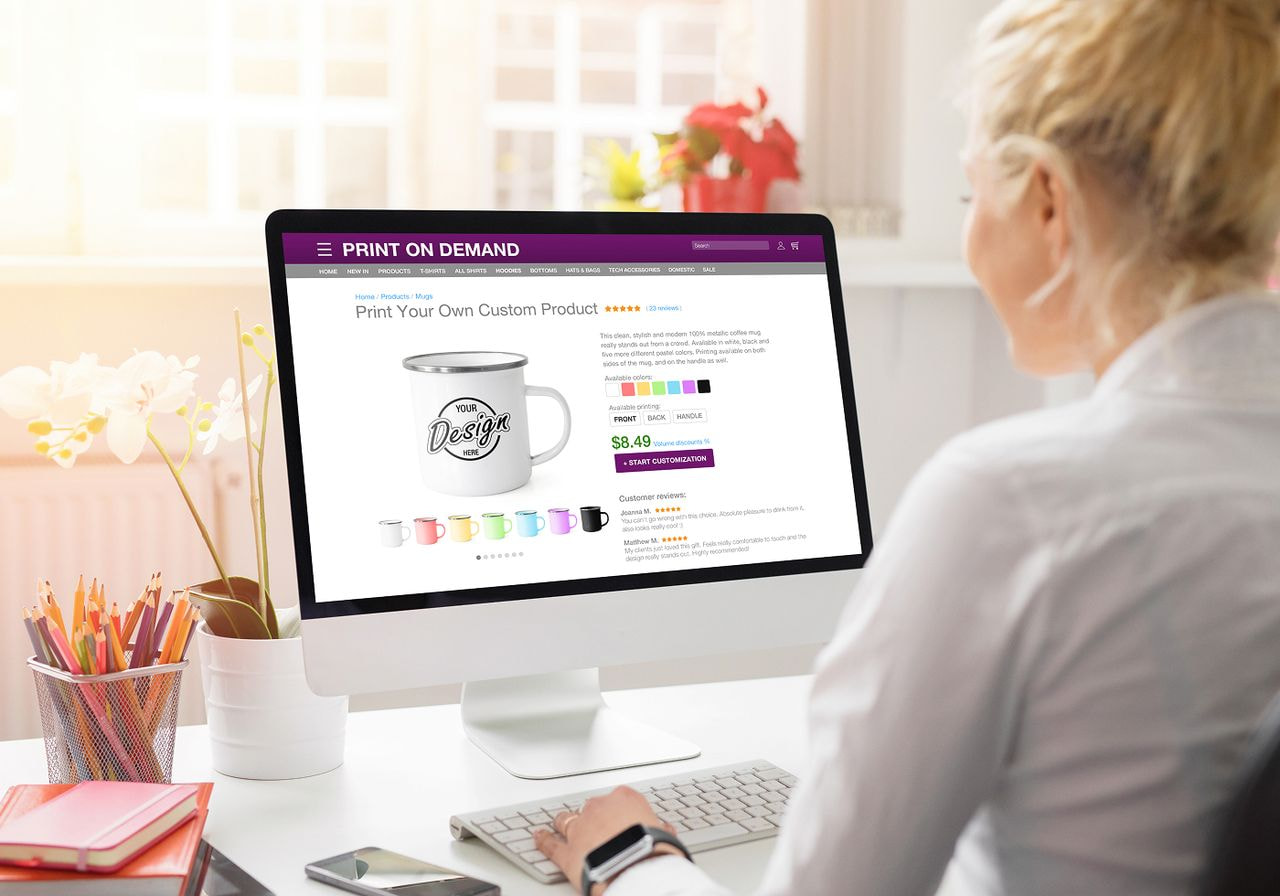
Print on Demand (POD) lets you sell custom physical products online – from apparel, accessories, and home décor, to lamps and engraved cutting boards – without ordering inventory upfront.
The workflow is simple:
-
Add your design
-
Publish the item in your Shopify store
-
A customer places an order
-
Your fulfillment partner prints, packs, and ships the item
-
You keep the difference between the retail price and your costs
Printful integrates directly with Shopify. Customize products from the Printful Catalog, publish your listings, and orders go straight to fulfillment – no packing, no shipping on your end. The app is free to install. Your customer covers the fulfillment cost at checkout, and you keep the difference.
It’s a low-risk starting point – no inventory, no upfront investment. You don’t need to buy 100 t-shirts to find out if anyone wants your design.
-
Printful’s free Design Maker lets you add artwork, text, patterns, and mockups
-
Canva offers free and paid plans for graphics
-
Adobe Illustrator gives experienced designers more control over original artwork
POD also includes broad customization options – from digital printing to embroidery and engraving. Start with a focused collection, like custom clothing, test a few designs, and review which items attract clicks and orders.
Print on Demand with Printful gives you a realistic route to extra income without forcing you to manage inventory.
2. Dropshipping
Dropshipping works like POD, but instead of custom products, you sell ready-made items from suppliers. You list their products on your storefront, and the supplier ships the package when buyers order.
This model gives Shopify store owners access to a wide catalog without a warehouse. It works best when you select a focused niche and vet suppliers carefully.
If you want to earn money online with dropshipping, here’s what it takes:
-
Research products with a clear use case
-
Compare delivery times
-
Check return policies
-
Write original product pages
-
Create useful marketing content
-
Track supplier performance
For AliExpress sourcing, DSers offers free and paid plans for importing items, syncing orders, and comparing suppliers. Shopify’s current dropshipping app directory also includes alternatives for different regions and product types.
Don’t fill the store with hundreds of random items. Pick products for one defined buyer. A focused kitchen-accessory store gives potential customers a reason to browse. A store selling phone cases, pet beds, lamps, and garden tools looks improvised.
Dropshipping reduces inventory risk, but supplier quality shapes the customer experience. Sample every core item before promoting it.
Read more: How to start dropshipping in 2026
3. Selling your own products

Shopify also works if you manufacture your own products, source stock in bulk, or sell handmade goods. It takes more work up front, but you get more control over materials, packaging, delivery, and brand presentation.
This model suits:
-
Artists selling prints and ceramics
-
Bakers taking local orders
-
Jewelry makers
-
Clothing brands
-
Candle businesses
-
Specialty food sellers
-
Beauty brands
-
Home décor makers
Whatever your business idea, run the numbers before you launch. Add material cost, labor, packaging, shipping materials, platform fees, and return allowance. Then see if the margin is worth the time it takes to make each item.
Shopify merchants selling stock need a basic operating system:
-
Shopify includes inventory tracking, while Google Sheets gives beginners a free backup for purchase orders and reorder points
-
Airtable offers free and paid plans for a more structured catalog
-
Shopify’s free Bundles app helps group related products into sets
Before you start selling, inspect every product – order samples. Check stitching, sizing, fabric, labeling, and wash results before anything goes live.
Your advantage comes from control – use it to create a product buyers struggle to find elsewhere.
4. Selling digital products
Digital files remove fulfillment and shipping from the equation. Shopify doesn’t charge extra platform fees for digital goods – which means more of what you earn stays in your pocket.
Here are some digital products for you to sell online:
-
eBooks
-
Printable planners
-
Lightroom presets
-
Music files
-
Video tutorials
-
Photography
-
Fonts
-
Design templates
-
Workout plans
-
Notion templates
-
Paid guides
-
Exclusive content
The margins are hard to beat: you create the file once and sell it as many times as you like. The work shifts to product development, positioning, and digital marketing.
-
Shopify’s free Digital Downloads app sends a download link after purchase
-
Sky Pilot offers free and paid plans for sellers who need richer file delivery, streaming, or customer-account access
-
Courses Plus offers a free plan for courses, quizzes, videos, and coaching programs
Canva works well for printable products and beginner-friendly design templates. Figma offers a free plan for interface kits and layouts. Adobe InDesign suits longer eBooks and workbooks.
Selling digital products through your own store turns expertise into a repeatable product and reduces the manual work behind making money online.
5. Affiliate marketing through your Shopify store
Affiliate marketing lets you earn a commission when your audience buys a product through your tracked link. A Shopify store built around a niche – with guides, comparison pages, tutorials, and curated recommendations – is a solid setup for this.
Start with a defined target audience. A store for beginner runners might publish shoe-care guides, race-day checklists, and training resources. Add affiliate links only where they help the reader make a decision.
To build trust:
-
Produce content around real buyer questions
-
Add original photos and demonstrations
-
Compare products honestly
-
Display customer testimonials where relevant
-
Explain which links earn commissions
-
Recommend fewer products with stronger reasoning
Affiliate income works best alongside another offer. You might sell your own training journal and recommend related tools from affiliate programs.
If you’re already in the print-on-demand or eCommerce space, you can promote Printful directly. Printful’s Affiliate Program pays a 10% commission on every order placed through your link – no store, no inventory needed.
Want creators to promote your products? If you sell your own products and let creators promote them using Shopify Collabs. It’s free to install and tracks creator links, codes, and commissions. UpPromote offers free and paid plans for a more configurable affiliate program.
These Shopify apps help you run referral campaigns, but they don’t replace useful content.
6. Selling services
Shopify works for services, too. Consultants, designers, teachers, coaches, photographers, and fitness professionals can sell bookings, packages, and retainers through a branded storefront.
Common service offers include:
-
Design consultations
-
Photography sessions
-
Coaching calls
-
Language lessons
-
Fitness plans
-
Paid workshops
-
Memberships
-
Online courses
-
Audits
-
Subscription services
Services create direct revenue from your skills. They don’t produce passive income on their own, but recorded courses, templates, and memberships add more scalable options.
Use Sesami or BTA Appointment Booking for scheduling. Both offer trial options. Courses Plus offers a free plan for online courses, while subscription apps help turn recurring services into predictable revenue.
Promote services online through a simple landing page, examples of your work, and a clear booking flow. Share useful advice on social media before asking for a sale.
Sell the smallest useful service first. A 60-minute consultation is easy for your target audience to say yes to – and it tells you exactly what your audience needs.
7. Becoming a Shopify Partner or developer
Note: Shopify retired the Shopify Experts Marketplace in December 2023. It’s been replaced by the Shopify Partner Directory, where vetted partners list their services for merchants to find and hire directly.
You don’t need to run a product store to earn through Shopify. Designers, developers, agencies, and consultants can join the Shopify Partner Program and build services around the platform.
Shopify offers several routes:
-
Build stores for clients
-
Develop apps
-
Create themes
-
Migrate merchants from other platforms
-
Consult on eCommerce strategy
-
Improve storefront design
-
Set up analytics and automation
Shopify has more than 100,000 partners in its network. Per Shopify’s Partner earnings guide, eligible client-transfer referrals for Basic, Grow, and Advanced plans earn a recurring 20% commission on the merchant’s monthly subscription fee.
Start with one skill. A copywriter might optimize product pages. A designer could build branded storefronts. A developer might create a niche app.
Use Shopify Academy and developer documentation to become a Shopify expert. Create a portfolio with development stores, then show specific outcomes: faster load times, cleaner navigation, fewer support tickets, or stronger conversion rates.
This path rewards specialization. Pick one merchant problem and build your future growth around solving it repeatedly.
How to make money on Shopify with no money

A Shopify launch still incurs costs, but beginners can keep them low. Shopify currently offers new merchants a free 3-day trial, followed by 3 months at $1/month. Use that time to learn the online platform, publish a small collection, and test your checkout flow.
If you want to learn how to make money with Shopify on a tight budget, here’s where to start:
-
Start a print-on-demand store instead of buying stock
-
Use a free Shopify theme
-
Create graphics with Canva’s free plan or Printful’s Design Maker
-
Take high-quality photos with a phone and natural lighting
-
Research topics with Google Trends
-
Publish content for organic search
-
Promote products through your social media accounts
-
Start a YouTube channel for demos, tutorials, or niche advice
-
Use free Shopify apps such as Shopify Forms, Shopify Inbox, and Search & Discovery
Spend money when the store gives you evidence. Don’t add paid apps, ads, or premium themes because they look professional. Add them when they solve a measurable problem.
Read more: Top 10 Shopify apps to grow your store
How to set up your Shopify store to make money
A store makes money when the product, website, and traffic source all line up. These steps take you from idea to launch without overbuilding.
Step 1: Choose your business model
Start with one offer. Choose POD, dropshipping, handmade products, downloads, affiliate content, services, or partner work.
The choice shapes your time commitment, risk, and margins. Physical stock requires cash and logistics. POD removes the inventory headache entirely. Digital products need strong positioning. Services trade time for direct revenue.
Use a simple spreadsheet to compare:
-
Startup cost
-
Margin per sale
-
Weekly workload
-
Fulfillment process
-
Required skills
-
Traffic source
-
Growth ceiling
Pick one business type and start generating consistent sales before adding new income streams.
Step 2: Pick a profitable niche
A niche tells you what to sell and who should care. “Fitness clothing” alone is broad – and boring. “Strength-training shirts for women over 40” instantly has a more defined customer, product range, and content plan.
Start with free tools:
-
Google Trends – compare interest over time
-
Google Keyword Planner – review search demand
-
TikTok Creative Center – check current product and content patterns
-
Reddit and customer reviews – find recurring complaints and questions
Paid tools such as Semrush and Ahrefs add competitor data and keyword analysis.
Look for evidence of buyer intent. Search volume helps, but buyer language matters more. Reviews often reveal what potential buyers want to fix, avoid, or improve.
Read more: 17 Print-on-demand niches to watch in 2026
Step 3: Set up your Shopify store
Your eCommerce website should help visitors quickly understand the offer.
Start with the Shopify Theme Store. Shopify offers 23 free and over 1,000 paid themes. A free theme gives you a mobile-friendly homepage, product collections, navigation, and standard product pages. Paid options offer more built-in layouts and merchandising tools.
Your store needs:
-
A clear homepage
-
Product categories
-
Contact information
-
Shipping and return policies
-
About us page
-
Payment settings
-
A branded domain
-
Analytics
Use Canva for banners and icons. PageFly offers free and paid plans for landing pages when the standard theme layout no longer meets your needs.
Your own website should answer three questions fast: What do you sell? Who’s it for? Why should the buyer trust you?
Step 4: Source or create your products
Choose the tool that matches your model:
-
POD – use Printful to create and publish any of the 589 custom products
-
Dropshipping – use DSers or another vetted sourcing app
-
Handmade stock – track materials and reorder points with Shopify inventory tools, Google Sheets, or Airtable
-
Downloads – use Digital Downloads or Sky Pilot
-
Courses – use Courses Plus
-
Services – use Sesami or BTA Appointment Booking
Order samples of physical items. Test downloads before publishing them. Complete the booking flow for services.
Then write engaging descriptions. Explain what the buyer receives, how it works, who it suits, and what happens after checkout. Strong product pages remove uncertainty – they don’t pile on adjectives or stuff in keywords.
Step 5: Price for profit
Price from the bottom up. Use this formula:
Retail price – (product cost + payment fees + delivery + marketing + refunds + taxes) = profit
The variables change by model: for POD, include product, printing, shipping, and marketing; for dropshipping, add supplier charges and likely return costs; for downloads, account for software and content creation; for services, factor in your time.
Use Google Sheets for a free margin calculator. Review competitor pricing, but don’t blindly copy it.
A sale without margin creates work, not online income.
Step 6: Drive traffic
Your online store needs visitors. Start with one or two channels instead of trying to appear everywhere.
For organic traffic:
-
Publish search-led articles
-
Create tutorials for a YouTube channel
-
Post demonstrations on social media
-
Build an email list with Shopify Forms
-
Use Shopify Email or Klaviyo for campaigns
-
Connect the free Google and YouTube apps to sync products with the Merchant Center
-
Plan content around launches and product releases
For paid traffic, start with a small test budget. Measure cost per purchase, not likes or clicks alone.
Your content should lead buyers to a relevant page. A video about hoodie fit should link to the matching hoodie collection, not your homepage.
Step 7: Optimize and scale
Once you start selling, review the numbers every week.
Track:
-
Website sessions
-
Add-to-cart rate
-
Checkout rate
-
Conversion rate
-
Average order value
-
Margin per order
-
Repeat purchase rate
-
Returns
-
Customer questions
Shopify Analytics gives you the starting data. The free Shopify Search & Discovery app adds filters, recommendations, and search insights. Judge.me offers free and paid review tools for collecting ratings and displaying social proof.
Fix the weak points first. If visitors don’t click, improve the offer or image. If they add products but abandon carts, review delivery costs and trust signals. If they buy once and disappear, add email follow-ups and related products.
Small improvements compound into more sales.
FAQs
There’s no fixed timeline. Some sellers make their first sales within days; others need weeks or months to validate the offer. Product demand, pricing, traffic, and trust all matter. Start with one product range, publish useful content, and improve the store based on customer behavior.
Yes. If you’re asking, “How do you make money on Shopify without previous experience?”, start with a low-risk model, such as Print on Demand or digital downloads.
Use free tools, learn the basic workflow, publish a focused collection, and promote it consistently before layering in more.
Shopify doesn’t publish one meaningful average revenue figure for every Shopify store. A side project and a global brand both run on the same platform, so any “average” doesn’t tell you much. Focus on your margin, traffic, conversion rate, and sales. For multiple income streams, consider combining physical and digital products to increase sales.
Shopify earns revenue through subscriptions, payment processing, selected transaction fees, themes, apps, and other services. Shopify offers several plans for businesses at different stages.
Your final cost depends on the plan, payment provider, tools, and sales model behind your online business.
Yes, when you need an online store with checkout, product management, integrations, and room to grow. Shopify works best for sellers willing to test products, improve listings, and market consistently.
The platform gives you infrastructure. Your offer and execution determine whether you make more money.
A Shopify store is profitable when revenue exceeds product, fulfillment, payment, marketing, and operating costs. Track each product separately.
To sell digital products, POD items, or services, calculate the margin before launch and revisit it once real orders reflect clearer data. See what generates income and learn from that.
Start making money on Shopify today!
Making money online starts with one clear offer and a store built around real buyer needs. Choose a model, publish a focused collection, and learn from early sales.
If you want to sell products without buying stock upfront, sign up for Printful, connect it to your Shopify store, and create stunning print-on-demand products. Write engaging descriptions, set prices, advertise through social media, and watch your store grow.

Zane is a sharp-witted writer with a deep interest in eCommerce, branding, and creative entrepreneurship. With a knack for blending humor, insight, and no-nonsense advice, she crafts engaging content that helps merchants learn and businesses grow. When she’s not dissecting industry trends, she's exploring philosophy, music, and the perfect balance between solitude and connection.

