


Table of contents
Sublimation design software prepares your designs for heat transfer by setting the print size, resolution, and color data that sublimation ink needs to reproduce artwork on polyester fabric, ceramic mugs, and other products. Beginners need templates and a drag-and-drop editor. Print shops need ICC color profiles, vector tools, and batch export.
This guide compares free sublimation design software with paid professional design software for sublimation printing, priced from $0 to $549 for a one-time license.
Key takeaways
-
Most sellers pair design software for the artwork with printer software for sizing, mirroring, and color profiles.
-
Printful’s Design Maker, Canva, Inkscape, GIMP, and Affinity cost nothing to start.
-
Photoshop and Illustrator cost $22.99 per month each. CorelDRAW also sells a $549 one-time license.
-
Files for your own printer need 300 DPI for fine detail, RGB color, and a mirrored layout.


What is sublimation design software?
There are two types of sublimation design software:
-
Design software to create the artwork: Canva, Photoshop, Illustrator, and similar programs handle images, fonts, and vector shapes, then export a PNG, JPG, or PDF file.
-
Printer and cutting machine software: Sawgrass Print Utility, Cricut Design Space, and printer drivers set the print size, mirror the image, apply the ink’s color profile, and send the job to a sublimation printer.
Most sellers use one of each, so the best program for sublimation printing usually comes as a pair. Some sublimation software combines both roles: MySawgrass design tool sends files straight to Sawgrass Print Utility, and Cricut Design Space controls the printer through Print Then Cut.
Tip: When heated, sublimation ink turns into a gas and bonds permanently to polyester. Learn more about what sublimation printing is and which materials it works with.

Best software for sublimation design at a glance
The right tool depends on who prints. Sellers with a printer need color profiles and export control. Print-on-demand sellers need templates for that service’s products.
10 Best sublimation design software options
The best software for sublimation printing balances price, color control, and printer support.
1. Printful Design Maker
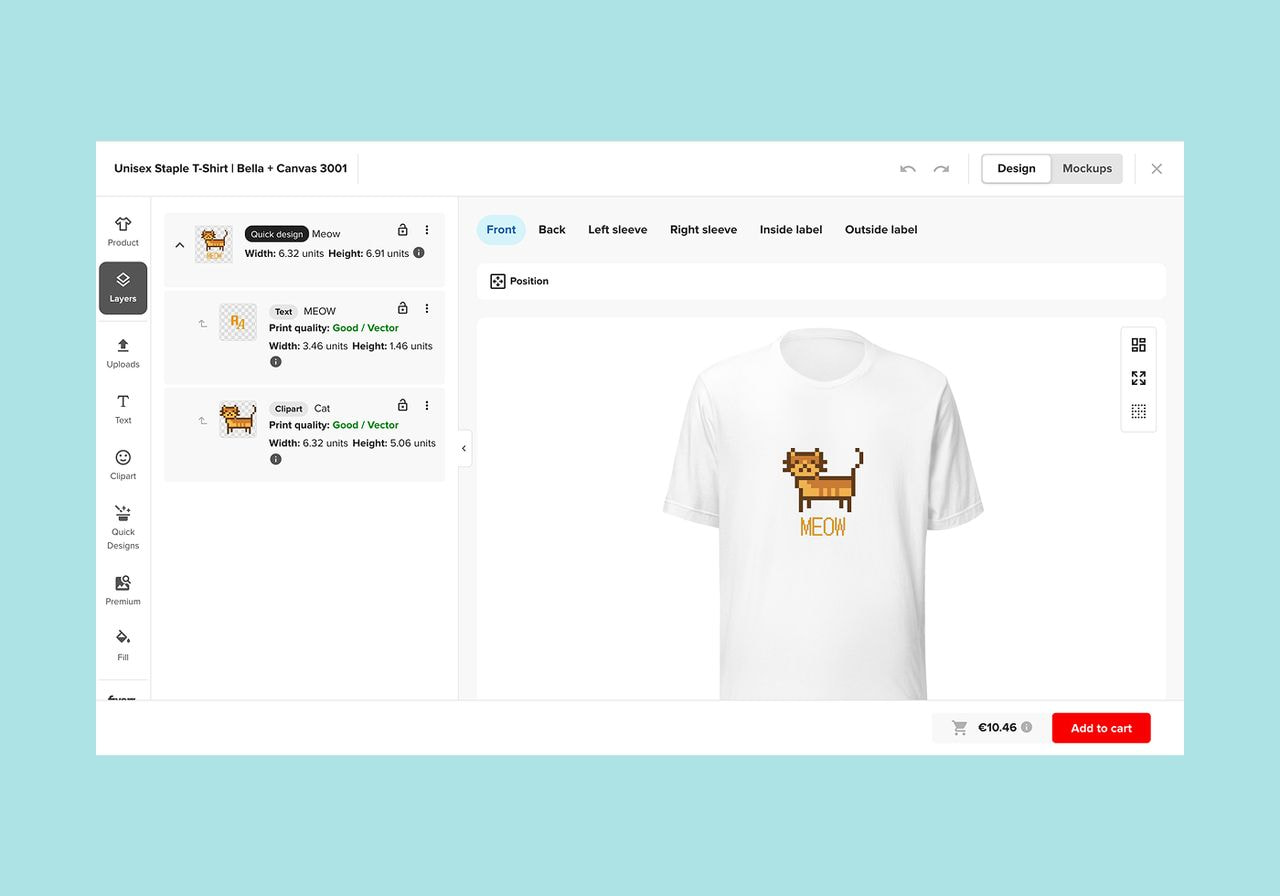
Printful’s Design Maker is a free browser tool that lets you build designs directly on Printful products, from all-over-print apparel to mugs. It suits sellers who want to offer sublimation products without having to buy a printer.
Key features include a one-click pattern tool for all-over-print designs, more than 20,000 clipart graphics, more than 790 fonts, and more than 110 million stock images from Getty Images, Vexels, and Patternbank. Its seamless integration with Printful’s Catalog lets sellers save each design as a product template and push it to a connected store.
Price: Free
Trade-off: The tool builds files only for Printful products. It doesn’t export print files for your own printer.
2. Canva

Source: Canva
Canva offers a free drag-and-drop editor with templates for stickers, mugs, and shirts, plus a large library of fonts and graphics. The editor makes template-based layouts easy to build, and teams can share designs by link.
The free plan exports PNG, JPG, and PDF files in RGB, and the PDF Print option exports at 300 DPI. Canva Pro adds transparent PNG downloads and CMYK export.
Price: Free. Pro starts at $18 per month.
Trade-off: Canva has no ICC profile management. Color correction happens in the printer software.
3. Inkscape
Inkscape is a free, open-source vector editor for Windows, macOS, and Linux. Vector paths scale to any size without pixelation, making them ideal for logos, lettering, and text-based designs on a budget.
Features for sublimation include node editing, path effects, clipping masks, and export to SVG, PNG, PDF, and EPS. Sellers create the artwork, set the export resolution in DPI, and send the PNG to their printer software. Volunteer forums answer questions.
Price: Free
Trade-off: Inkscape has a learning curve for users new to vector tools. It works in RGB by default, and its CMYK and ICC profile support is less than that of Illustrator or CorelDRAW.
4. GIMP
GIMP is a free raster editor for photo-based sublimation designs, such as pet portraits, photo mugs, and textured backgrounds. It runs on Windows, macOS, and Linux and supports plug-ins and custom brushes.
GIMP lets users assign an ICC profile, soft-proof against a printer profile, and mark out-of-gamut colors before export. Sellers can explore these color tools at no cost before paying for Photoshop.
Price: Free
Trade-off: GIMP doesn’t apply its color management settings when printing. Sellers export the file and print through a profiled printer driver. The menus also have a pretty steep learning curve for beginners.
5. Adobe Photoshop
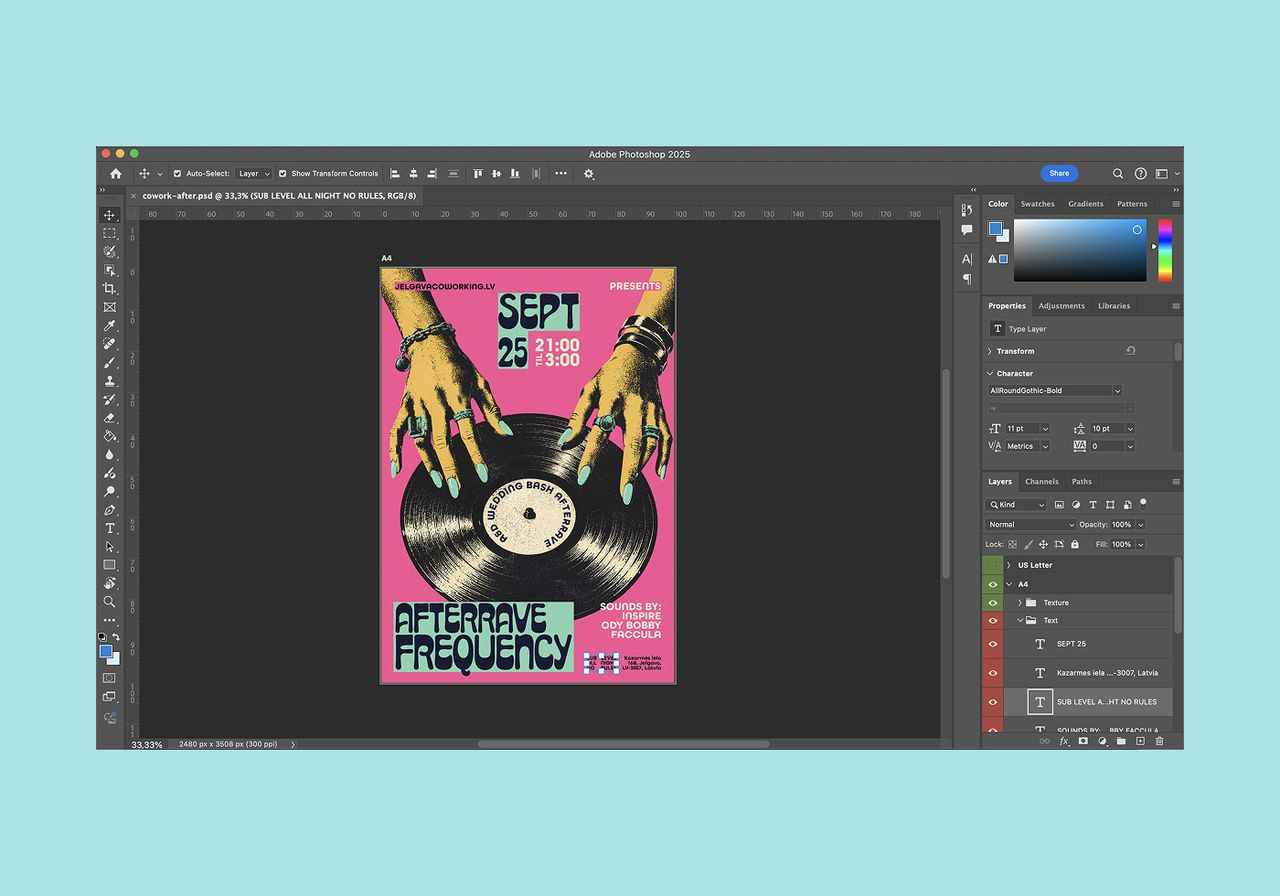
Adobe Photoshop remains the industry standard for image-based sublimation designs and photo editing. It suits sellers and print shops that work with photos and layered artwork.
Photoshop supports custom ICC profiles for sublimation inks and soft-proofs colors on screen before printing. Its Actions panel records repeated steps, such as resizing, mirroring, and exporting a PNG, and the Batch command runs those actions on an entire folder of images to save time.
Price: $22.99 per month on an annual plan billed monthly
Trade-off: Photoshop is subscription-only, and it has a steeper learning curve than template editors.
6. Adobe Illustrator
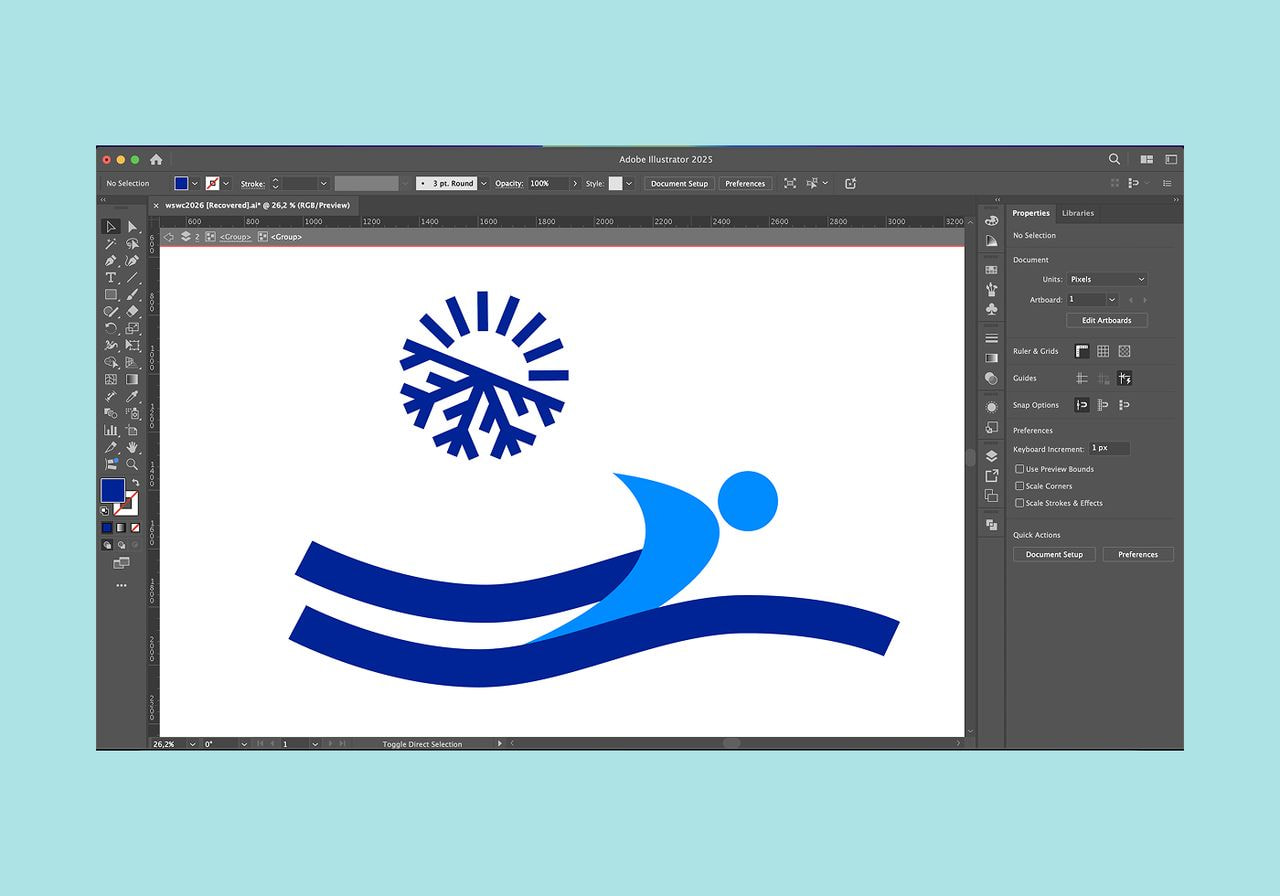
Adobe Illustrator creates vector designs that scale to any size, from a 3-inch sticker to a full tumbler wrap, without losing sharpness. It suits sellers who design logos, typography, and line art for several product sizes.
Multiple artboards hold a separate layout for each product within a single file, and Image Trace converts hand-drawn sketches into vector paths. Illustrator exports PNG files at a set resolution for print and keeps a vector master for future products.
Price: 7-day free trial, then $22.99 per month on an annual plan billed monthly
Trade-off: The subscription adds up over time, and vector tools take longer to learn than drag-and-drop editors.
7. CorelDRAW
CorelDRAW Graphics Suite, often written as Corel Draw, combines vector illustration, page layout, and photo editing in Corel PHOTO-PAINT. Print shops and sign makers use it for layout work on Windows, macOS, and the web.
PowerTRACE converts raster images into editable vectors, and the print dialog applies ICC profiles to match colors to the printer and ink.
Price: 15-day free trial, then $269 per year as a subscription, or $549 as a one-time purchase
Trade-off: The $549 one-time license costs more upfront than any other tool on this list, and it receives no upgrades to future major versions.
8. Affinity
Affinity combines vector design, photo editing, and page layout in one app, with separate Vector, Pixel, and Layout studios. Canva made it free in October 2025 and released the iPad version in November 2026. It suits creative sellers who want professional features without a subscription.
Affinity supports CMYK documents and ICC profiles, opens PSD and AI files, and exports PNG files at any resolution. Canva AI tools within the app, such as Generative Fill, require a paid Canva plan.
Price: Free with a Canva account
Trade-off: Sellers find fewer sublimation-specific tutorials and community resources than for Photoshop or Canva.
9. MySawgrass (formerly Sawgrass CreativeStudio)
The MySawgrass design tool builds designs in a browser on product templates formatted for sublimation. It suits owners of Sawgrass sublimation printers.
Its seamless integration with Sawgrass Print Utility sends finished designs to the printer, where the utility applies Sawgrass ink and color settings. Custom Canvas sets the print area by dimensions and bleed, and accepts JPG, PNG, SVG, AI, PSD, PDF, and CDR files.
Price: Free for Sawgrass customers. The paid MySawgrass+ subscription adds premium artwork and fonts after a 28-day free trial.
Trade-off: Print Utility drives Sawgrass printers only. Owners of converted Epson printers gain little from the platform.
10. Cricut Design Space
Cricut Design Space is free software for Cricut cutting machines that handles two sublimation methods. Infusible Ink sheets get cut on a Cricut machine, and Print Then Cut sends a flattened design to a sublimation printer, then cuts around it.
Users select the Mirror toggle on the cut screen before printing. Some sublimation printers automatically mirror, so users should mirror in one place only. Print Then Cut also prints stickers in several sizes.
Price: Free
Trade-off: Design tools stay basic, so most users create artwork in other software and upload it. Print Then Cut also adds sensor marks that users trim off before pressing.
What to look for in sublimation design software
Feature lists vary widely between options. Four capabilities decide whether a file prints the way it looks on screen.
Color control
Sublimation ink looks dull on transfer paper and reaches full color only after pressing. Sublimation printers use CMYK ink without white, so a light blue blank tints the entire design.
An ICC profile describes how one printer, ink, and paper combination reproduces colors, and soft proofing helps designers understand color shifts before printing. Adobe advises letting either the software or the printer driver manage colors, as double conversion can cause color issues.
Dedicated sublimation printers, such as Epson’s SureColor F170, ship with matched ink and color settings. Keep files in RGB unless a print shop asks for CMYK. Printful asks for sRGB files and converts colors itself.
Resolution and file formats
Design at 300 DPI for the final print size. Printful accepts 150 DPI for most apparel and large-format products and recommends 300 DPI for fine detail. Enlarging a small image adds no new pixel data, and a web graphic stretched to mug size prints blurry.
Export PNG files with transparent backgrounds for partial designs that a Cricut cuts around or a print-on-demand service places on a product. JPG works for full-coverage artwork, such as all-over print patterns.
Templates and sizing
Mug, tumbler, and shirt templates set the exact print area and bleed for each product. Sellers select a template or enter custom dimensions, place the artwork, and keep important elements inside the safe zone. Printful’s product file guidelines list this information and include downloadable templates.
Mirroring flips the design horizontally, so text reads correctly after transfer. Canva, Photoshop, Illustrator, and Cricut Design Space all include a flip or mirror command.
Printer integration
Some software sends files straight to a printer with sublimation settings applied. MySawgrass works with Sawgrass Print Utility, which also accepts jobs from any design program on Windows and Mac.
General design software, such as Canva and Inkscape, exports a file that sellers print through the printer driver with an ICC profile.
How to create your own sublimation designs
Sellers who create their own designs follow five steps in any program, starting with the product so the canvas matches the print area.
-
Pick your product and size. Select the blank and open its template. Choose light-colored blanks with high polyester content. Cricut sets 75% polyester as the minimum for its preferred results.
-
Design in your chosen software. Build the artwork with your own images, fonts, and graphics, and keep text away from seams and handles.
-
Set up the color and resolution. Work at 300 DPI at the final size, keep the file in RGB, and apply the ICC profile for your printer, ink, and paper in either the software or the driver.
-
Mirror the design if your printer needs it. Flip the layout horizontally before printing on transfer paper. Skip this step when the printer driver mirrors automatically.
-
Print a test before the full run. A first print rarely gets colors perfect. Print one sample to check for color shifts, and adjust the file before proceeding with a larger order. Have a second person review the sample and comment on text placement.
Tip: Follow our step-by-step guide to creating sublimation designs.
Create all-over-print products with Printful
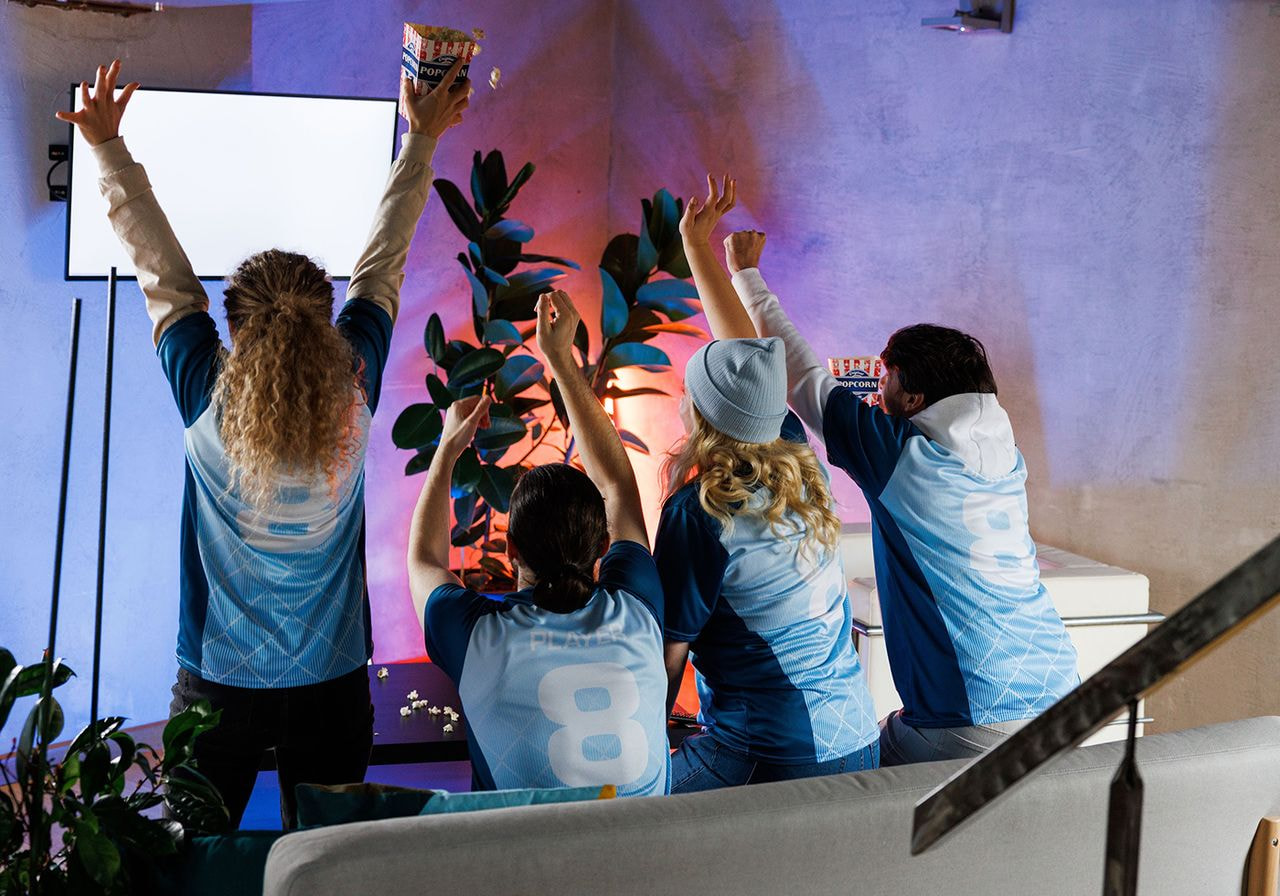
Printful handles sublimation printing in-house. Sellers skip buying a printer, heat press, ink, and transfer paper, which saves money upfront and lets them research which designs sell before investing in equipment. Printful sets the price per item and charges it when an order comes in, with no order minimums.
The all-over-print Catalog includes more than 90 products across more than 15 categories. Printful sublimates the fabric, cuts each panel, and sews the garment, which keeps white streaks out of the seams. Sellers design unique prints in the Design Maker or upload their own designs, then connect their sales channel and publish the products. Printful prints, packs, and ships each order to end customers under the seller’s brand.
Tip: See which sublimation products to add to your store.
Wrapping up: Choose the right sublimation design software for your projects
The best software for sublimation design depends on the goal:
-
Beginners who want free tools start with Canva or Printful’s Design Maker.
-
Professionals who need color profiles and vector control pick Photoshop, Illustrator, CorelDRAW, or the free Affinity.
-
For Sawgrass and Cricut owners, the best program to use for sublimation printing combines their usual design software with the matching printer software.
-
Sellers without a printer use the Design Maker and let Printful handle production.
FAQ
Create a sublimation design by opening the product template in your design software, building the artwork at 300 DPI, and exporting a PNG or JPG in RGB. Apply the ICC profile for your printer and ink, mirror the design if needed, and press a test print before the full order.
Yes, Canva works for sublimation designs, especially template-based text and graphics. Size the canvas to the product's print area, export a PNG, and mirror it in your printer software. Canva Pro adds transparent PNG downloads, which Cricut Print Then Cut and print-on-demand uploads need. Canva doesn't manage ICC profiles, so color correction happens at print.
Several design tools offer free sublimation designs. Printful's Design Maker includes more than 20,000 clipart graphics for Printful products, MySawgrass offers free designs with a commercial license for Sawgrass customers, and Canva's free plan includes templates. Read the license you agree to, since third parties often require buyers to acknowledge personal-use-only terms.
Yes, Cricut Design Space supports sublimation in two ways. Print Then Cut sends a design to a connected sublimation printer, which cuts around it, while Infusible Ink sheets are cut directly on a Cricut machine. Turn on Mirror on the cut screen unless your printer already mirrors.

Published author, scholar, and musician, Andris draws on over 11 years of experience in and outside academia to make complex topics accessible – from SEO and website building to AI and monetizing art. Devoted to his family and self-confessed introvert, he loves creating things, playing musical instruments, and walking around forests.

