



Table of contents
The best digital products to sell in 2026 solve repeat problems. Think templates, online courses, planners, presets, memberships, apps, and business kits.
Today, you’ll learn what digital products to sell, where to list them, how to price them, and how to turn top-selling designs into print-on-demand merch with Printful.
Key takeaways
-
Selling digital assets usually solves a specific problem – saving time, teaching a skill, improving organization, or helping buyers create faster.
-
Templates, planners, spreadsheets, and memberships can yield high profit margins because the main cost is creation, not repeated production.
-
Unlike physical products, downloadable items don’t need packaging, warehousing, or shipping, which keeps fulfillment simple.
-
Marketplaces help beginners test demand before building their own website.
-
Printful’s print-on-demand service lets sellers use designs from art prints, patterns, or templates on physical products like posters, apparel, mugs, and tote bags.
What are digital assets?
Digital products are intangible or virtual goods delivered in a digital format – think eBooks, software, photos, videos, online courses, or templates.
They’re easily scalable, customizable, and don’t require ongoing production costs, unlike tangible products.
Whether you’re a creative, educator, or entrepreneur, there’s room for you in this space. With the right niche, tools, and marketing strategies, creating digital products and selling them to a global audience is easier than ever.
Valuable read: Home-based business ideas
20 Best digital products to sell in 2026
Here, we’ll take a look at the most popular digital products to sell online. The best choice depends on your skills, buyer demand, pricing, and how easily you can promote the offer.
1. eBooks

eBooks are a powerful way to package expertise. Readers are drawn to content that saves them hours of research or gives them a shortcut to a specific outcome.
-
What sells best: How-to guides, niche handbooks, recipe books, budgeting guides, travel guides, career guides, and personal development workbooks.
-
Tools to create them: Google Docs, Apple Pages, Canva, Atticus, Vellum, or Adobe InDesign.
-
Where to sell: Gumroad, Payhip, Amazon Kindle Direct Publishing, Etsy, Shopify, or your own website.
2. Digital planners and templates
Planners and templates help buyers organize time, money, content, projects, fitness, meals, or business tasks without having to build a system from scratch, making them great examples of digital products to sell.
This category has strong search demand because it saves time and works for many niches, from students and creators to coaches and busy professionals.
-
What sells best: Budget planners, meal planners, fitness trackers, student dashboards, business planners, social media templates, content calendars, and customizable templates.
-
Tools to create them: Canva, Adobe InDesign, Notion, Google Sheets, GoodNotes, Keynote, or PowerPoint.
-
Canva specifics: Canva templates sell well when buyers get an editable link, clear instructions, matching page layouts, and ready-made sizes for Instagram, Pinterest, TikTok covers, presentations, or printable PDFs.
-
Where to sell: Etsy, Gumroad, Payhip, Shopify, or your own website.
-
Pricing: Simple planners often sell around $5–$20, while larger bundles can reach $25–$75 depending on depth, niche, and perceived value.
3. Educational printables
Parents and teachers are constantly searching for materials that make learning engaging without adding extra prep time. Well-designed educational printables step in as ready-to-use solutions.
-
What sells best: Worksheets, flashcards, classroom posters, coloring pages, handwriting practice, lesson activities, and seasonal learning packs.
-
Tools to create them: Canva, Google Slides, PowerPoint, Adobe Express, or Procreate.
-
Where to sell: Etsy, Teachers Pay Teachers, Gumroad, Payhip, or your own website.
4. Digital art

For artists with a distinct visual voice, selling digital art prints opens the door to global reach without the logistics of shipping physical pieces. Buyers love the flexibility to print and frame on their own terms.
-
What sells best: Nursery prints, gallery wall sets, seasonal artwork, minimalist posters, quote prints, and personalized portraits.
-
Tools to create them: Procreate, Adobe Illustrator, Photoshop, Canva, or Affinity Designer.
-
Where to sell: Etsy, Creative Market, Gumroad, Shopify, or an artist portfolio site.
Plus, you can easily turn them into physical merch using POD platforms like Printful.
5. Music and sound files
Audio creators can turn their craft into income by offering tracks that enhance other people’s projects. From cinematic beats to calming soundscapes, music and sound files fill a wide range of creative needs.
-
What sells best: Beats, sound effects, podcast intros, meditation audio, background tracks, loops, and sample packs.
-
Tools to create them: GarageBand, Ableton Live, Logic Pro, FL Studio, Audacity, or BandLab.
-
Where to sell: BeatStars, AudioJungle, Gumroad, Patreon, Payhip, or your own website.
6. Stock photos and videos

Brands and creators are always on the hunt for visuals that feel authentic and on-trend. High-quality stock photos and videos can quietly power countless campaigns behind the scenes.
-
What sells best: Stock photos, product mockups, flat lays, short-form video clips, drone footage, background textures, and niche image bundles.
-
Tools to create them: DSLR or smartphone camera, Lightroom, Photoshop, Capture One, CapCut, or DaVinci Resolve.
-
Where to sell: Shutterstock, Adobe Stock, iStock, Creative Market, Etsy, or your portfolio site.
7. Online courses
Online courses work best when they teach a specific outcome rather than a broad topic. Instead of “learn design,” create a course like “build a brand kit in Canva” or “set up a beginner Etsy shop.”
Clear outcomes make it easier to price, promote, and sell courses to buyers who want a structured path.
-
What sells best: Skill-based courses, business tutorials, fitness programs, software training, career lessons, finance basics, language learning, and creative workshops.
-
Tools to create them: Teachable, Thinkific, Kajabi, Loom, Notion, Google Slides, Descript, ScreenFlow, or Canva.
-
Where to sell: Teachable, Thinkific, Kajabi, Udemy, Gumroad, Shopify, or your own website.
-
What to include: Short video lessons, downloadable workbooks, templates, quizzes, checklists, and lesson plans that help students follow the material without guessing what to do next.
8. Mobile apps

Some problems are best solved with a tool people can carry in their pocket. Thoughtful mobile apps can become daily companions for productivity, health, or learning.
-
What sells best: Habit trackers, budgeting apps, study tools, meditation apps, calculators, and niche utilities.
-
Tools to create them: Flutter, React Native, Swift, Kotlin, Figma, Bubble, Glide, or Adalo.
-
Where to sell: App Store, Google Play, or your own website.
9. Digital memberships
Digital memberships work best when buyers need ongoing resources, updates, or support instead of a single download. Sell access to fresh templates, tutorials, coaching notes, private content, or community resources through a monthly subscription.
When done well, memberships can create a steady revenue stream rather than relying solely on one-time sales.
-
What sells best: Template libraries, coaching communities, tutorial vaults, creator resources, paid newsletters, exclusive content, and niche hubs.
-
Tools to create them: Patreon, Substack, Kajabi, Memberful, Circle, Podia, or WordPress plugins.
-
Where to sell: Patreon, Substack, Podia, Kajabi, Shopify, or your own website.
10. Canva templates and branding kits
For entrepreneurs who want polished visuals without hiring a designer, digital downloads like Canva templates and branding kits offer an instant upgrade.
-
What sells best: Brand kits, launch graphics, pitch decks, media kits, business cards, social media templates, social media graphics, and post layouts.
-
Tools to create them: Canva, Adobe Express, Figma, Illustrator, Photoshop, or Google Slides.
-
Where to sell: Etsy, Creative Market, Gumroad, Payhip, Shopify, or your own website.
Tip: Check out trending products on our blog.
11. Website themes and UI kits
Launching a website becomes far less intimidating when the design groundwork is already done. Website themes and UI kits give creators a professional starting point.
-
What sells best: WordPress themes, Shopify sections, Squarespace layouts, landing pages, Figma UI kits, and portfolio templates.
-
Tools to create them: Figma, Webflow, WordPress, Shopify, Elementor, Framer, or Adobe XD.
-
Where to sell: Creative Market, ThemeForest, Gumroad, Lemon Squeezy, Webflow marketplace, or your own website.
12. Lightroom presets and photo filters
Editing can be time-consuming, which is why photographers and influencers gravitate toward ready-made looks. Creating Lightroom presets can become a nice online business that offers a consistent aesthetic with just a few clicks.
-
What sells best: Wedding presets, travel presets, food presets, moody edits, bright lifestyle filters, mobile presets, and bundles.
-
Tools to create them: Lightroom, Photoshop, VSCO, Capture One, or smartphone apps.
-
Where to sell: Etsy, Gumroad, Creative Market, Payhip, Shopify, or your own website.
13. Digital stickers
In the world of digital planning and note-taking, small details make a big difference. Digital stickers add personality, color, and visual cues to otherwise plain layouts.
-
What sells best: Planner stickers, study stickers, wellness icons, seasonal sets, and GoodNotes packs.
-
Tools to create them: Procreate, Illustrator, Canva, Affinity Designer, or Photoshop.
-
Where to sell: Etsy, Gumroad, Payhip, Creative Market, or your store.
14. Resume and career templates
Standing out in a competitive job market often comes down to presentation. Thoughtfully designed resume templates help candidates make a strong first impression.
-
What sells best: Resume templates, cover letters, LinkedIn banners, portfolios, and job trackers.
-
Tools to create them: Canva, Google Docs, Word, Figma, or InDesign.
-
Where to sell: Etsy, Gumroad, Payhip, Creative Market, or your website.
15. Digital journals
Reflection and habit-building feel more intentional when guided by structure. Digital journals are trending products to sell because they create space for mindfulness, goal-setting, and personal growth.
-
What sells best: Gratitude journals, wellness trackers, goal journals, and productivity logs.
-
Tools to create them: Canva, GoodNotes, Notability, Keynote, or PowerPoint.
-
Where to sell: Etsy, Gumroad, Payhip, Shopify, or your website.
16. Social media content packs
Social media content packs help creators, coaches, and small teams maintain consistent content creation without having to make every post from scratch. They work best when built for a specific niche, like wellness, real estate, beauty, education, restaurants, or personal brands.
-
What sells best: Caption prompts, carousel templates, story templates, highlight icons, post ideas, social media calendars, and campaign planning sheets.
-
Tools to create them: Canva, Figma, Google Sheets, Notion, Airtable, or Adobe Express.
-
Where to sell: Etsy, Gumroad, Payhip, Creative Market, Shopify, or your own website.
17. Notion templates
Notion is a workspace app for notes, databases, calendars, project boards, and team documents. Notion templates give users a ready-made setup, so they don’t have to build dashboards, trackers, or planning systems from scratch.
They’re popular with freelancers, students, creators, and productivity-focused buyers.
-
What sells best: Budget dashboards, content calendars, habit trackers, study planners, client portals, project systems, and creator workflows.
-
Tools to create them: Notion, Canva, Google Sheets, Figma, or Loom for short setup tutorials.
-
Where to sell: Gumroad, Etsy, Notion Marketplace, Payhip, or your own website.
18. Printable games and activities
Events, classrooms, and family gatherings all benefit from ready-made entertainment. Printable games offer instant fun without complicated setup.
-
What sells best: Party games, scavenger hunts, classroom activities, mystery role playing games, and holiday packs.
-
Tools to create them: Canva, Google Slides, PowerPoint, or Illustrator.
-
Where to sell: Etsy, Teachers Pay Teachers, Gumroad, Payhip, or your store.
19. Business startup kits
Business startup kits bundle the documents new founders need to plan, price, brand, and launch faster.
They’re profitable digital products because buyers get several useful files in one package, giving the kit a high perceived value compared to a single template.
-
What sells best: Business plan templates, pitch decks, pricing calculators, budget trackers, onboarding forms, brand sheets, launch checklists, marketing materials, and client proposal templates.
-
Tools to create them: Canva, Google Docs, Google Sheets, Notion, Figma, PowerPoint, or Adobe Express.
-
Where to sell: Etsy, Gumroad, Payhip, Creative Market, Shopify, or your own website.
20. Craft instructions and patterns
If you’ve got a knack for handmade crafts, create digital patterns and instructions to help others create their own versions. Buyers can either follow along with the PDF or print the pages out depending on the type of project.
-
What sells best: Crochet and knitting patterns, sewing patterns, hand-embroidery patterns, and cross-stitch grids.
-
Tools to create them: Adobe Illustrator, Google Docs, Stitch Fiddle, and Browzwear.
-
Where to sell: Etsy, Shopify, your own website, Ravelry.
Most profitable digital products
The trending digital products right now sit in five categories:
-
Courses: Premium pricing, clear outcomes, and room for upsells.
-
Membership libraries: A monthly subscription can turn one-time buyers into repeat customers.
-
Website templates: Buyers pay to launch faster without hiring a designer.
-
Business startup kits: Bundles increase average order value.
-
Creator asset packs: Fonts, presets, and high-quality graphics for social media posts and beyond help buyers create faster.
These products can have a very high profit margin because there’s no shipping, packaging, or physical inventory. Pick products with high demand and repeat use to generate passive income.
How to start a digital product business

Launching your own business is easier than you think, and you don’t need a big budget to begin. Here we will tell you how to sell digital products, step by step.
1. Choose the right product for passive income
Pick digital products to sell that match your skills and interests. If you’re a designer, try Canva templates or digital art prints. Educators might start with printable worksheets or eBooks.
Check Google Trends to gauge demand before committing to your choice.
2. Create high-quality digital files
You don’t need to be a design pro to create most of the digital products. Canva, Google Docs, and Notion require only basic design skills to come up with professional-quality files that can help you generate passive income.
Use the right tools for your product type:
-
eBooks: Google Docs, Apple Pages, or Vellum
-
Planners and templates: Canva, Adobe InDesign
-
Courses: Loom, Notion, or Teachable
-
Music and audio: GarageBand, Ableton Live, Audacity
Save files in popular formats like PDF, PNG, MP3, or ZIP for easy delivery.
3. Set up your online store
Sell online through a marketplace like Etsy or Gumroad for instant access to buyers.
Alternatively, build your own online store using Shopify, Wix, Squarespace, or WooCommerce for more control and branding options.
4. Optimize listings and pricing
Use catchy titles, engaging visuals, and clear product descriptions. Add keywords that your target audience would search for. Google Keyword Planner and Etsy search are great places to find them.
Pricing tip: Offer a discounted price upon launch, then increase as you build reviews and traffic. Want to enhance average order value? Bundle related digital product ideas for maximum profit.
5. Promote your products
Share your store and digital goods on social media platforms such as Instagram, Pinterest, and TikTok. Build an email list or start a blog to drive consistent traffic.
Paid ads can also increase sales once you’ve found your winning product.
Bonus: Use Printful to start selling even more products
Don’t limit yourself to only selling digital products. Partner with Printful to offer premium print-on-demand merch like t-shirts, mugs, posters, or tote bags.
Simply repurpose your digital designs to create custom physical items. The best part? No inventory or upfront costs.
Printful integrates with major platforms, including Shopify, Etsy, TikTok Shop, Wix, WooCommerce, and Squarespace, making it easy to manage both your physical and digital products from a single storefront.
It’s a great way to offer your potential customers more value – and generate passive income – through physical sales.


Where to sell digital products
Choose your sales channel based on speed, control, and how buyers already shop. Online marketplaces help you test demand without building a site first. Your own store gives you more control over branding, pricing, customer data, and repeat digital product sales.
Many sellers use both – marketplaces for discovery, their own sites for bundles and higher margins.
Start with online marketplaces
Marketplaces give new sellers access to shoppers who already browse for templates, planners, art, and patterns.
Add your downloadables, write a specific product description, show the result with mockups, and use the platform’s search data to find relevant keywords.
Use marketplaces to test:
-
Product demand: See which listings get clicks, saves, and sales.
-
Pricing: Compare single products, bundles, and premium versions.
-
Audience fit: Check whether your product reaches a broad target audience or a narrow niche.
-
Search terms: Use buyer language from reviews, competitor listings, and marketplace autocomplete.
Etsy
Etsy is a favorite for creatives who sell digital art, printables, and planners. It comes with a massive built-in audience and is perfect for beginners. Just upload your digital file, add your listing, and you’re ready to go.
From offering wedding or business templates to selling educational products and coloring pages for kids, Etsy is fantastic for reaching niche markets.
Gumroad
Simple and creator-friendly, Gumroad is ideal for digital artists, writers, musicians, and independent developers. It’s a great platform to sell downloadables, video courses, pretty much any digital product.
There’s no upfront cost to start, and you can begin making sales right away with a shareable product link.
Payhip
Payhip lets you create your own customizable storefront without setting up a full website. It supports digital product sales and memberships, and even handles VAT and sales tax to ease your selling journey.
Plus, it includes built-in marketing tools like discount codes, affiliate programs, and upselling features to help you grow.
Creative Market
Creative Market is where designers go when they need files they can use right away – fonts for a brand kit, mockups for a launch, icons for an app, or templates for a client deck due tomorrow.
Sell here if your files save another creative from starting at zero. Show the final result, include editable formats, and make the license terms super clear.
Want more control? Build your own digital product store
If you want more freedom over branding, layout, and customer experience, we recommend setting up your own website. The following online platforms offer extensive tools for selling digital products.
Shopify
Shopify is a powerful eCommerce platform to sell both physical and digital products. It’s not a marketplace, so you’ll need to drive your own traffic, but you’ll get to customize your store’s look and features.
Use Shopify Apps to deliver files, offer bundles, or automate fulfillment for physical products with Printiful.
WooCommerce
WooCommerce is a WordPress plugin that lets you build a fully customized online store.
It’s ideal for sellers who want the flexibility of an open-source platform. While you’ll need some technical knowledge, you get full control over product listings, checkout flows, and integrations.
Wix
Wix is an easy drag-and-drop website builder with full digital product capabilities. You can upload files, track sales, and customize the store without any coding.
It’s perfect for entrepreneurs who want to create a beautiful store without a steep learning curve. Wix also supports integration with Printful and other tools.
Squarespace
Known for its stunning design layouts, Squarespace is great for selling digital downloads such as art, ebooks, and templates. It’s user-friendly, secure, and comes with built-in analytics.
If design and branding are your top priorities, this is a solid choice. Squarespace also integrates seamlessly with Printful to sell physical products alongside your downloads.
Quick tip
Need help deciding? Start with a storefront on Etsy or Gumroad to test the market, then expand your business with Shopify or WooCommerce when you’re ready to scale. Our article on how to make money on Etsy can help you get started.
Case study: Emily McDermott of Pretty Arrow
Source: https://www.etsy.com/shop/prettyarrowbudget
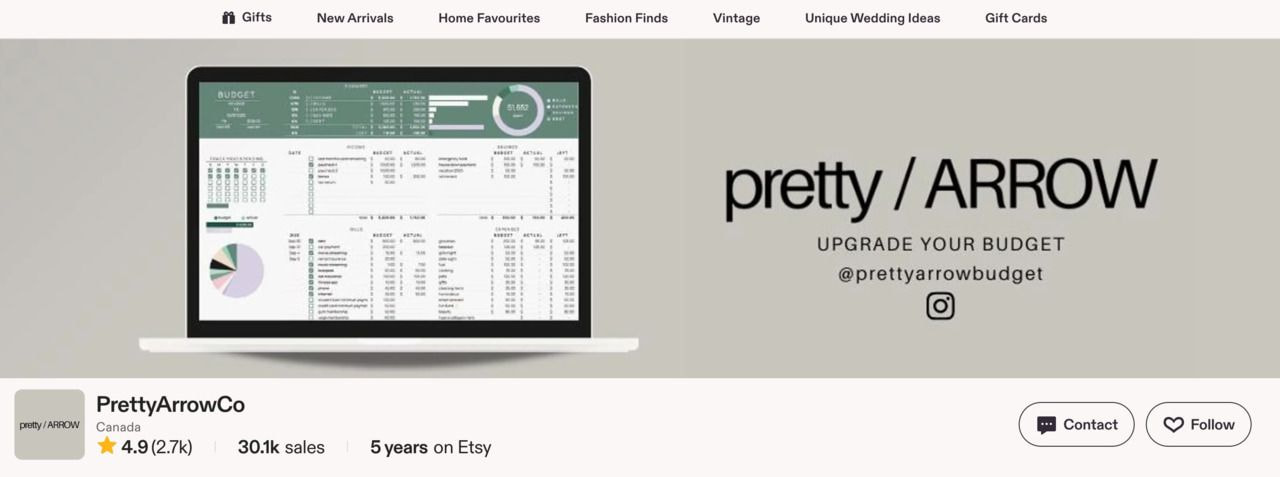
Emily McDermott, a small business owner, built Pretty Arrow around a specific problem: budgeting feels awful when the spreadsheet looks like a tax form.
She makes money online by selling Google Sheets budget templates and printables. The shop currently has over 30,000 sales.
Emily started after leaving an insurance job and first tried a personal finance blog. She leaned into keyword research, crafted SEO-friendly listings, and promoted her shop through targeted email marketing and Facebook ads.
After researching Etsy demand with eRank, she shifted toward budget spreadsheets because shoppers were already searching for them.
Her first spreadsheet made a $5 sale on day one, reached $5K/month within three months, and hit $15K/month within six months, proving that selling digital downloads can be a profitable business.
Build for one buyer, one stressful task, and one repeat search pattern. Emily has only three listings – she didn’t need hundreds of random files but practical spreadsheets with clear use cases, searchable Etsy listings, and enough visual polish to make budgeting feel doable.
Conclusion
Whether you’re a designer, educator, musician, coder, or entrepreneur, 2026 is the year to monetize your skills and start selling digital products.
From eBooks to templates, the opportunities are endless. You don’t need a warehouse, packaging, or shipping labels – just great ideas and the tools to bring them to life.
Want to generate passive income beyond digital goods? Repurpose your designs for physical products and use Printful for print-on-demand fulfillment to earn more without extra effort.
Frequently asked questions
There’s no single winner. Planners, templates, eBooks, courses, and digital art often sell well because they solve repeated needs in productivity, personal finance, education, and design. When selling digital products online, start with one buyer problem and test demand by tracking clicks, saves, and sales.
Sell a product with clear value, repeat demand, and pricing that supports the goal. Courses, membership libraries, web templates, budgeting spreadsheets, and business kits can work. A successful digital product business needs simple math – 100 sales at $100, 200 at $50, or 500 at $20.
You can sell digital planners, printables, templates, eBooks, audio files, stock images, presets, Notion dashboards, spreadsheets, courses, and digital art. Pick a high-demand category, then narrow it by audience, use case, and format so buyers instantly understand who it’s for.
The easiest options are usually checklists, printables, spreadsheets, or simple templates. These need fewer tools than apps or full courses and can be made in Canva, Google Docs, Notion, or Google Sheets. Use email marketing later to promote updates, bundles, and new versions.

Zane is a sharp-witted writer with a deep interest in eCommerce, branding, and creative entrepreneurship. With a knack for blending humor, insight, and no-nonsense advice, she crafts engaging content that helps merchants learn and businesses grow. When she’s not dissecting industry trends, she's exploring philosophy, music, and the perfect balance between solitude and connection.

