


Table of contents
The Etsy AI policy now requires most listings to include at least one unedited photo of the actual item against a real background. Etsy’s stance is that AI should support sellers’ creativity, not replace it. And with about 88 million active buyers relying on accurate information, the marketplace is also tightening rules on misleading listings.
Print-on-demand sellers get an exception. If a production partner like Printful prints your original design on a standard base product, you can use an authorized mockup instead. Templates from Printful’s free mockup generator meet that standard. Third-party options, including Placeit’s AI-generated templates, need a closer look.
Keep reading as we cover what changed, which images qualify, and how to check your existing listings.
Disclaimer: The information in this article was collected in November 2026. Etsy may update these rules at any time, so check its current policy to ensure your listings comply.
What’s new in Etsy’s AI policy
Etsy announced its updated AI rules on October 22, 2026, and revised the photo requirements on November 6. The changes cover two areas – what your listing photos must show and how you can use AI.
The unedited photo requirement
Most listings of physical items now need at least one unedited photo of the actual item against a real background. Etsy says this helps buyers see what they’re ordering and helps it catch misleading AI imagery.
Since the November update, you still can crop, resize, watermark, or convert the file format. Any other change disqualifies the photo. Some photo editing software uses AI without making it obvious, so upload the shot straight from your camera.
This photo doesn’t have to come first in your gallery, and one is enough per listing, even with multiple variations. For print-on-demand items, an authorized mockup can replace it. More on this later.
Which edits are allowed on additional listing images
You can edit your other images, with or without AI, as long as they accurately represent the item’s true color, condition, scale, and materials.
Brightening a dim shot or swapping a cluttered background is fine. Making a heather gray hoodie look charcoal, hiding a print flaw, or letting AI redraw part of your design isn’t.
Etsy also recommends adding a disclaimer about AI edits in your listing description.
Does Etsy prohibit AI?
No, but it sets firmer limits on AI-generated content. Under the Etsy AI art policy, you can sell items made with AI tools from your own prompts, as long as you disclose AI use and don’t present the work as handmade or entirely your own.
The October 2026 update bans:
-
Bot-generated listings: Listings created without individual human involvement will be removed, and repeat violations can lead to Etsy shop removal.
-
AI-generated instructions: Craft patterns, recipes, and similar guides must be the seller’s own work.
-
AI prompt bundles: Selling prompts on their own as digital downloads has been banned since 2024.
Etsy’s print-on-demand policy: When a mockup replaces the unedited photo
Etsy makes one exception to the unedited photo rule, and it’s built for print-on-demand sellers. If your listing meets two conditions, a mockup can take the place of a real photo.
Printful as your Etsy production partner
First, a production partner must make the item, and Etsy expects you to name that partner. For Printful sellers, the process looks like this:
-
In Shop Manager, go to Settings → Production partners.
-
Add a new production partner named “Printful.”
-
Publish from Printful as usual. Once that partner exists in your Etsy account, it’s assigned to your new listings automatically.
Without this step, listings default to Made by seller, which misstates how your products are made.
Second, the product must be based on a seller’s original design and use a standard blank, like the hoodies, tote bags, posters, and vinyl stickers in Printful’s Catalog.
Once both conditions are met, an authorized mockup can stand in for the unedited photo, so you don’t have to photograph each item yourself.
What makes Etsy mockups authorized
Etsy accepts a mockup only if its owner has authorized you to use it. In practice, that means the image comes with a license covering commercial use, such as selling products online.
Some mockup libraries include this with every download, while others reserve it for paid plans. Images saved from a search engine or social media usually come with no permission at all, even when they’re free to view.
Before uploading a mockup from any source, check that:
-
Its terms allow use in product listings
-
It shows your product accurately, including color, print placement, and scale
A mockup with the right permissions can still break Etsy’s rules if it misrepresents your product.
Seller-produced and made-to-order items
Items you make or customize yourself follow a different rule. For seller-produced custom or made-to-order items, like hand-monogrammed accessories, Etsy asks for photos of real, finished pieces you’ve made before, so buyers can judge the quality of your work.
Personalized Printful products don’t fall into this group. When a buyer adds a name to your design and Printful prints it, the item is made to the buyer’s specification by your production partner, so the POD exception applies.
Etsy also dropped an older rule against using a blank product or placeholder text like “Your Text Here” as the main image for personalized items. Still, a mockup showing a finished example gives buyers a clearer picture.
Printful and Placeit mockups for Etsy
Printful sellers have two ways to get mockups – Printful’s built-in mockup generator and Placeit, a separate mockup library that Printful users can subscribe to at a discount. Both produce Etsy-friendly images, but they fit into your listings in different ways.
Printful’s mockup generator
Every product you save in Printful comes with a ready-made set of mockups from the mockup generator. Because they show the exact item you’re selling, they’re an easy way to meet the POD exception. They’re also free, and you can use them on any eCommerce platform, including Etsy.
The generator gives you three kinds of images:
-
Templates: Every product in the Printful Catalog has templates, from studio shots to lifestyle scenes, including for embroidered clothing. Use one of these as the stand-in for the unedited photo.
-
Custom backgrounds: For select products, you can upload your own background (2048 × 2048 px recommended) or add text and a logo. Keep the product itself unchanged.
-
AI mockups: For select apparel, this AI-powered tool shows your item on an AI-generated model or as an isolated product shot. It keeps your artwork exactly as uploaded and generates only the scene around it. You get 10 free attempts a day.
AI mockups work best as additional listing images. Etsy’s policy doesn’t say whether an AI-generated scene counts as a stock mockup, so a standard template is the safer stand-in.
Some mockups with AI-generated models also carry a disclaimer when you select them. If you use them, add a short disclaimer to your listing description, in line with Etsy’s recommendation to be transparent about AI edits.


Placeit mockups and AI-generated templates
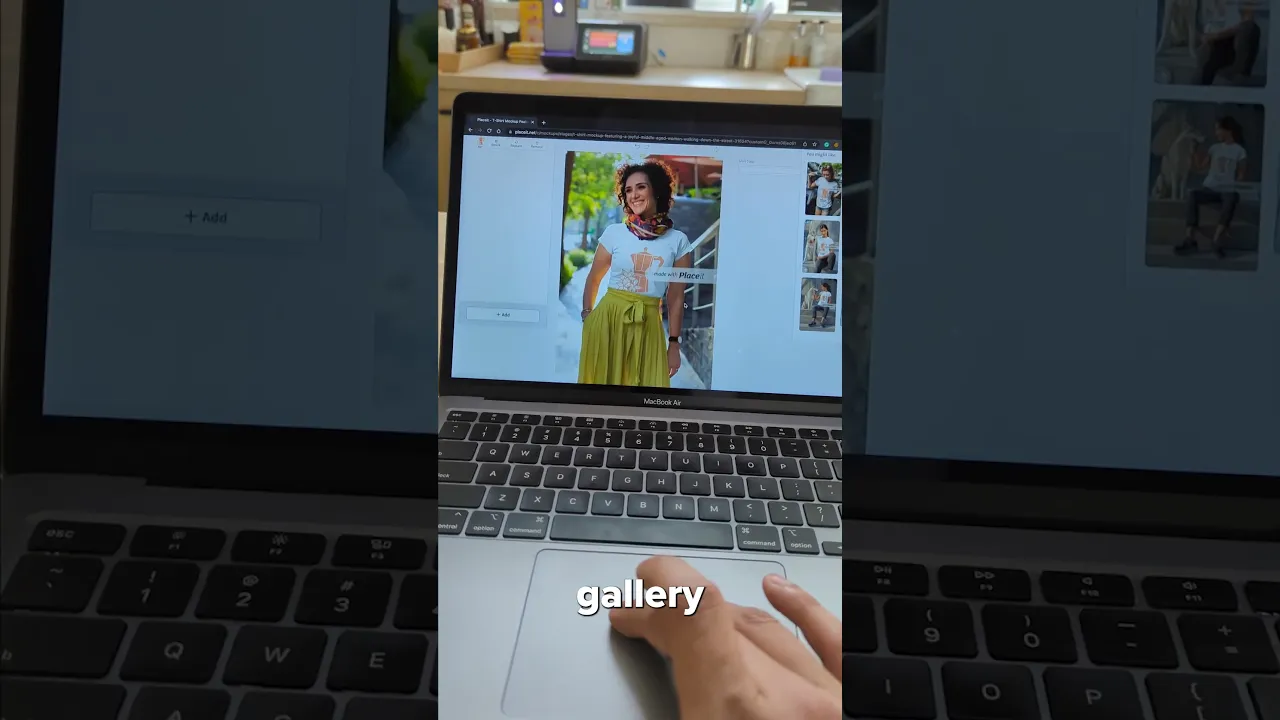
Placeit offers a library of over 29,000 assets, including video mockups. A paid plan unlocks the full library, and new subscribers who sign up through Printful get 15% off. Placeit’s license covers commercial use, so its downloaded mockups count as authorized.
Two things need extra attention:
-
Generic blanks: Placeit templates show a similar product, not your Printful item. Before using one, compare the template’s color, cut, fabric texture, and print placement with what you sell. Any mismatch can turn a mockup into a misleading image.
-
AI-generated templates: Some Placeit templates are created with generative AI and labeled as such in their titles. They’re fine as additional images if they show your product accurately, but don’t rely on them as the stand-in for the unedited photo. Note the AI imagery in your listing description, too.
Since Placeit mockups don’t come from your Printful product, you need to add them to your listing yourself through Etsy’s listing form.
AI-generated designs on Printful products
Etsy treats seller-prompted AI creations as items designed by a seller, so artwork made with AI tools can go on Printful products. The rules covered earlier still apply.
In practice, three things matter most:
-
Your creative input: Etsy hasn’t set a minimum, but its ban on mass-automated creation makes publishing the first output from an AI generator risky. Writing your own prompts, combining elements, adjusting colors and composition, and preparing the file for print all show a clear creative role.
-
Your disclosure wording: The Etsy AI art policy requires a disclosure in your listing description, and one plain sentence can cover it, like “I created this design using AI tools, then edited and refined it for print.”
-
Your intellectual property check: AI tools can reproduce existing characters, logos, or another artist’s work without warning. Etsy’s intellectual property rules still apply, so review every design before it goes on your products.
Checklist for existing Etsy listings
Etsy’s updated image rules also apply to published listings. Use this checklist to update existing listings:
-
Who made it? should be set to Another company or person, with Printful as the production partner.
-
At least one image is a mockup generator template, a photo of a Printful sample, or a properly licensed mockup.
-
No mockups are saved from a search engine or downloaded under unclear terms.
-
Every image, including AI-generated scenes and Placeit templates, matches the real product’s color, print placement, and scale.
-
No sample photos are edited to hide print flaws or shift colors.
-
The listing description mentions any AI used to create your own designs.
-
The listing description notes any images generated or edited with AI.
Frequently asked questions
Yes. AI-generated art and designs are allowed on Etsy, including on print-on-demand products, as long as you play a clear creative role and disclose AI use in your listing description.
You can’t present AI-generated work as handmade or entirely your own. Etsy also bans bot-generated listings made without human involvement. For Printful sellers, a design made with AI assistance and printed on a Catalog product is fine with a short disclosure.
Check the listing description first. Etsy requires sellers to disclose when they use AI to create an item, so a disclosure there is the clearest signal. Then, look through the photos for one showing the actual item against a real background, which Etsy now expects in most listings.
Etsy also lets buyers report listings that seem misleading or bot-generated.
No. Under Etsy’s print-on-demand policy, an authorized mockup can replace the unedited photo, so samples are optional. A real sample still helps, though. Your own photo shows buyers the true color, fabric, and print quality, and it can serve as the unedited photo itself.
Printful sample orders are 20% off, or 25% off with the Printful Growth plan.
Under the Etsy AI policy, the marketplace can remove listings with misleading images, and repeated violations can lead to shop removal. Etsy says proactive checks are planned for early 2027 – no immediate enforcement action on the new image requirements has occurred yet.
In the meantime, buyer protection still applies. If an order differs from your listing photos, you may have to refund the buyer.

Jordana is a content writer with over 6 years of experience in content writing and technical writing. Her not-so-secret passion is breaking down complex ideas into clear, straightforward content, whether it's explaining tech concepts or crafting stories that connect. When she's not writing, you'll find her enjoying good sushi or falling down movie trivia rabbit holes.

