



Table of contents
TikTok has turned scrolling into shopping – viewers watch a video, tap a product tag, and check out in the app. But before social commerce can work for you, your products need to be live in your shop.
This guide shows you how to add products to TikTok Shop, from connecting your store and syncing print-on-demand designs to listing a single product and uploading multiple products in bulk. You’ll also learn how to manage products so your listings keep driving sales for your business.
What you need before adding products
TikTok Shop reviews every seller and all new listings, so a little prep saves you a lot of back-and-forth later. Here’s what to have ready before you begin:
-
A verified TikTok Shop seller account. Register in the TikTok Shop Seller Center as an individual or a business and provide a valid ID and a bank account in the same name. Approval typically takes 24-48 hours.
-
Tax information. Submit your tax details in the Seller Center to receive payouts.
-
Warehouse and shipping settings. Add a warehouse address and a shipping template. If you work with a print-on-demand partner like Printful, you’ll use its facility address and choose seller shipping.
-
A linked TikTok account. Linking your TikTok account to Seller Center unlocks features such as product tags in videos and LIVE shopping. Without it, your products are only visible in the Shop tab, limiting their visibility.
-
Products that comply with TikTok Shop rules. Check the Prohibited Products Policy and Restricted Products Policy before you list anything. Listings in certain categories require additional approval.
Tip: Make sure the names on your ID, bank account, and Seller Center registration match exactly. Even a missing middle name can delay approval.
For a full walkthrough of the account setup, read our guide on how to start a TikTok Shop.
Get started
How to connect Printful to TikTok Shop
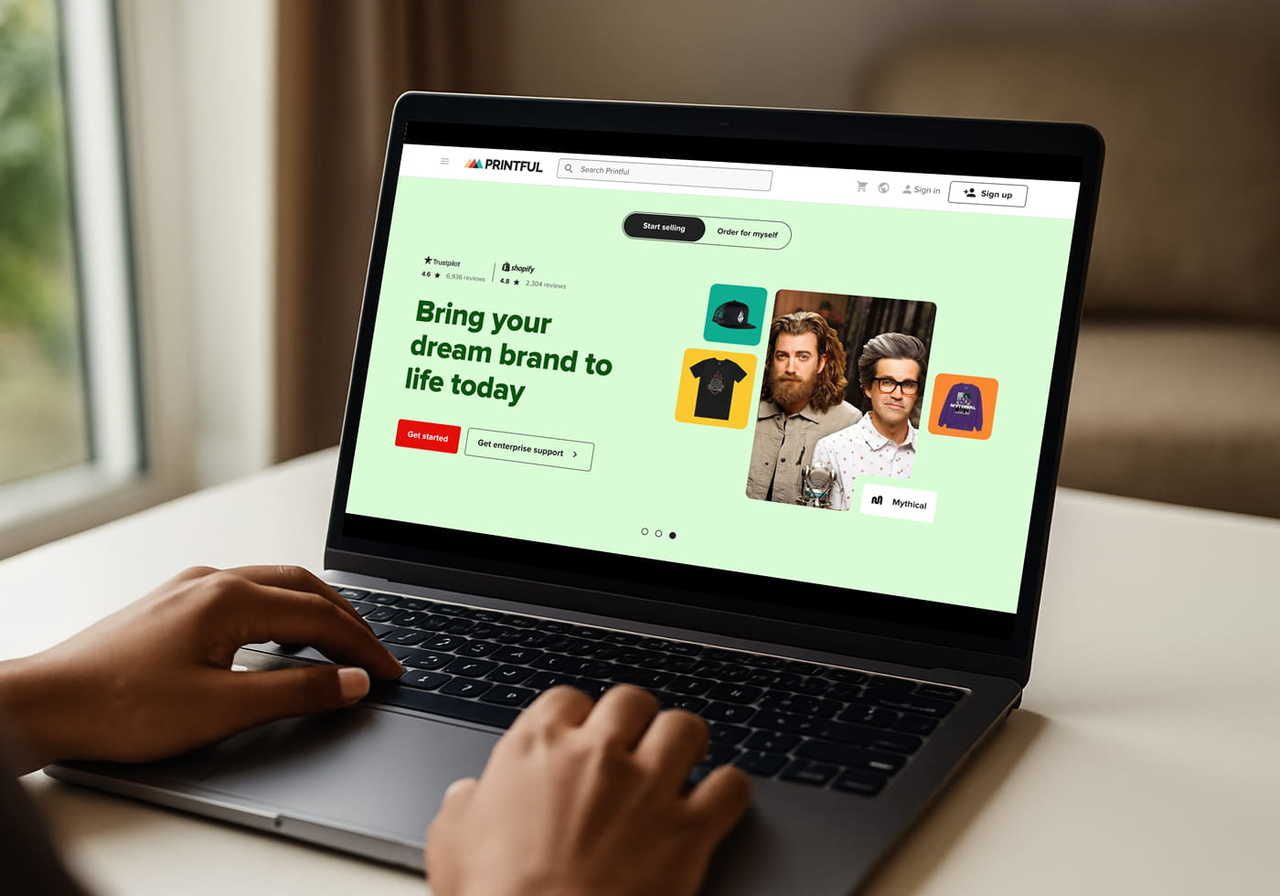
If you sell custom products, the easiest way to add items is to sync them from Printful. Printful’s TikTok Shop integration pushes your designs straight to Seller Center with no upfront costs to your business, and every order is printed, packed, and shipped automatically under your brand.
The direct integration currently supports sellers in the US and UK. Here’s how to connect your store:
-
Set seller shipping. In Seller Center, choose Seller shipping (US) or turn on Shipped by seller (UK). This lets Printful fulfill your orders.
-
Add Printful’s warehouse address. Go to Logistics → Warehouses and add the Printful facility for your region.
-
Connect the store. In your Printful Dashboard, go to Stores, click Choose platform, and select TikTok Shop.
-
Authorize the app. Choose Authorize US or Authorize UK, then click Authorize on the TikTok Shop page that appears.
-
Add a billing method. Go to Billing → Billing methods in Printful. TikTok Shop collects payment from customers, and Printful bills you separately for production and shipping – without a saved billing method, orders won’t go into production.
For screenshots and region-specific shipping rates, see our step-by-step guide on how to connect Printful to TikTok Shop.
How to add products to TikTok Shop with Printful
Once your store is connected, you can sync products to TikTok Shop without manually filling out a single Seller Center form.
Step 1: Create your product
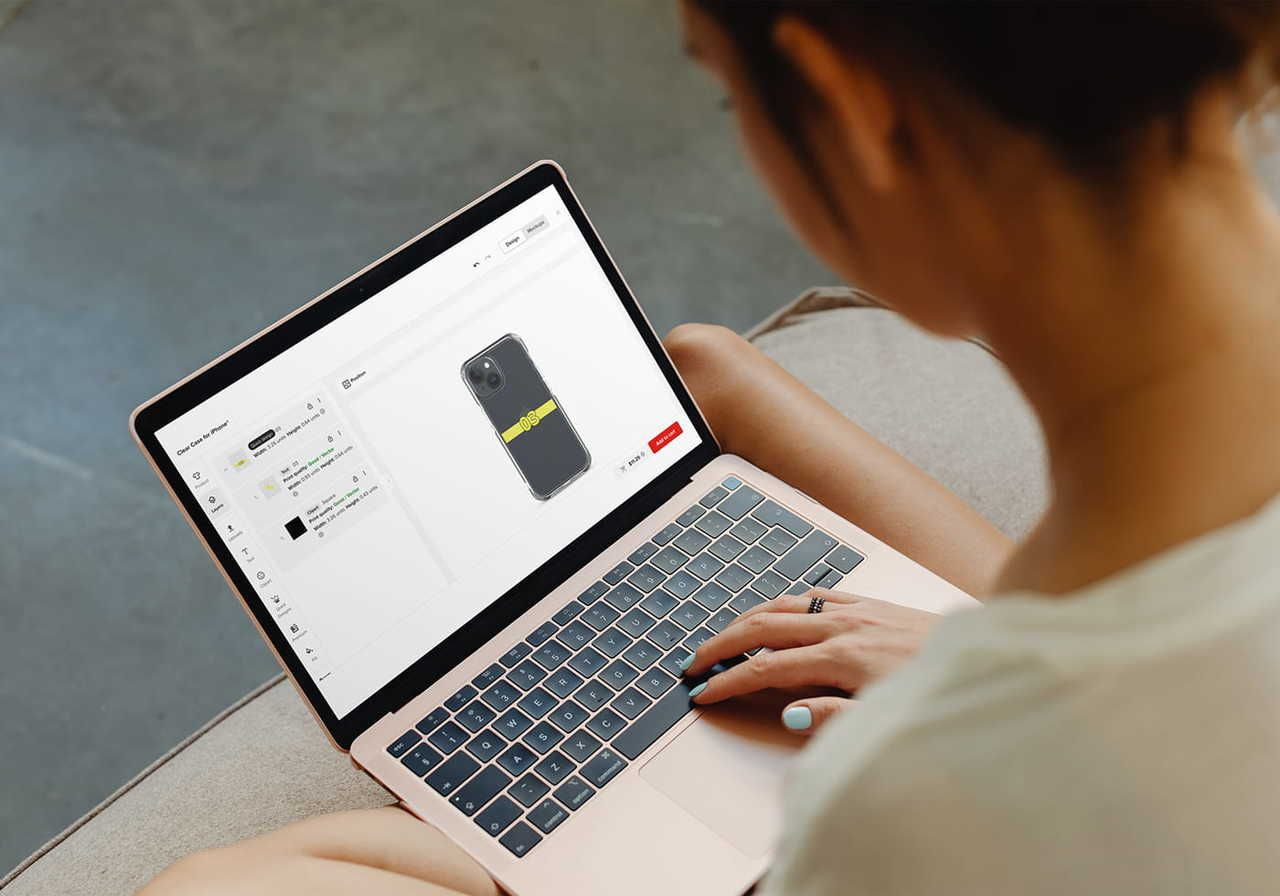
In your Printful Dashboard, go to My products and click Create product. Choose a product, then use the Design Maker to upload your file or build a design from scratch.
Not every product is eligible for TikTok Shop. Because of the platform’s fulfillment requirements, use these techniques:
|
Technique |
Eligible for TikTok Shop |
Example products |
|
Yes |
T-shirts, hoodies, sweatshirts |
|
|
Yes |
Hats, caps, embroidered apparel |
|
|
No |
All-over print apparel, pillows, blankets |
|
|
No |
Sportswear, blended fabrics |
Step 2: Fill in the product details
Add a product title, description, and your retail price. Printful generates mockups you can use as product images, so you don’t need a photo shoot to get started. Add a few lifestyle images, too – they help shoppers picture your products in real life.
Step 3: Publish and check Seller Center
Publish the product, and Printful will send it to your TikTok Shop. It can take up to two hours for new products to appear in Seller Center. Once a product appears, TikTok Shop reviews it like all other listings before it goes live.
If a product still doesn’t show up, open the listing in Seller Center and look for an error message. Common causes include daily upload limits for new sellers and account restrictions.
Tip: Order samples before launch. You’ll see the quality firsthand and get real footage for your first videos.
How to add a single product in TikTok Shop Seller Center

Selling products you make or stock yourself? You can list them directly in Seller Center. Here’s the official desktop flow for uploading a product to TikTok Shop, step by step.
Step 1: Open the listing page
Log in to Seller Center on your computer and go to Products → Add products. Choose Add individual products, then click Add new product to open the listing form.
The listing page has five main sections: basic information, product details, sales information, product compliance, and shipping. As you fill each one in, a suggestion panel flags critical issues, items that need attention, and optional listing improvements. TikTok Shop Academy also has resources that explain every field.
Step 2: Add basic information
This section covers what shoppers see first:
-
Images. Upload up to nine high-resolution images per product at 600 × 600 px, up to 10 MB each, in JPG, JPEG, or PNG format. The main image should show the whole product, and extra images should show different angles and key features. Skip text, graphics, and watermarks.
-
Product name. Titles need 25-200 characters, but TikTok Shop recommends 80 or fewer. Include the brand, product type, and main features – no URLs or marketing slogans.
-
Category. Choose the right category, or TikTok Shop may hide your product from search results or remove the listing. You can accept the suggested category or pick your own. Some categories are invite-only, and approval can take 8-10 working days.
-
Brand. Pick your brand from the list, add a new brand name, or select No brand. Branded products need brand authorization, and authorized brand listings are more likely to be recommended to shoppers.
-
Attributes. These are optional, but attributes like size, color, and material help shoppers find your product and understand its features. Key attributes also improve your listing quality.
Step 3: Write the product description and add videos
Next, tell shoppers what your product is and show it in action:
-
Description. Cover your product’s main features and benefits. TikTok Shop suggests giving each selling point its own paragraph, under 250 characters.
-
Description generator. Let it draft a copy from the details you’ve entered. Review it, edit anything that’s off, and click Keep to paste it in.
-
Product video. Upload a video (9:16 to 16:9, up to 100 MB). Videos can showcase features better than photos and help drive sales. With more than four images, TikTok Shop can generate one for you.
Step 4: Enter sales information
Now add price and inventory details for each variation. For every SKU, you’ll need to provide:
-
A product identifier code, like a GTIN, UPC, or EAN
-
A retail price
-
Available stock quantity
If your product comes in different sizes or colors, add variations here rather than creating separate listings. For apparel with size variations, you’ll also get a size chart section that you can save as a template.
Step 5: Complete compliance and shipping
Fill in any compliance information your category requires. Then check the package weight and dimensions – TikTok Shop usually pre-fills them based on similar products, so edit them to match your actual package.
Step 6: Review, preview, and submit
Before you submit, check your listings’ quality score. TikTok Shop rates listings as good, fair, or poor, and listings rated as good get more page views. Use the preview to see how the product looks in your shop and in search results.
When everything looks correct, click Submit for review in the top right corner, or click Save as draft to finish later. Track the status under Products → Manage products. Approved products go live automatically.
Tip: To add new products that share features with an existing listing, use Duplicate product. It copies one of your active listings, so you only edit what’s different and save time.
How to add multiple products at once
Listing products one by one works well for a small catalog. For bigger launches, use bulk listing to upload multiple products from a single spreadsheet. It’s available on desktop only.
-
Open bulk listing. Go to Products → Add products and choose Bulk listing, or go to Manage products and click Bulk action.
-
Download a template. Search for your product or browse the category list, then click Download template. Each template covers one category, so download a separate file for each product type.
-
Fill in the template. Complete every required field marked with a red border. Each row is one SKU – for example, a shirt in three colors and two sizes needs six rows. Don’t add or delete rows or columns, or the upload may fail.
-
Upload the file. Return to the bulk listing page, attach your spreadsheet or drag it into the upload area, and click Import. Each file can be up to 5 MB.
-
Fix errors and publish. TikTok Shop checks the file and highlights problems in an online editor. Correct them, then click Publish to send your products for review.
Keep an eye on your listing limit. New shops go through a probation period, and you can’t upload more products or listings once you reach the cap.
Other ways to add items to TikTok Shop
Wondering how to add items to TikTok Shop without using a spreadsheet? There are a few more options, depending on where your catalog lives:
-
Search by keywords. Find similar products already on TikTok Shop and auto-fill the listing details from them.
-
List with a URL. Paste a product link from another site, like Amazon or Shopify, to import the listing. This feature is in beta for selected sellers.
-
Seller Center app. List products from your phone when you’re away from your computer.
-
Integrations and API. Use an integration app to sync products – TikTok Shop supports syncing with platforms like Amazon, Shopify, and eBay. This suits sellers who already sell on other channels and want one source of truth for inventory across their sales channels.
How to manage products after they go live

Adding products is only half the job. Keeping your product listings accurate helps protect your shop’s ratings and your customers’ trust. TikTok Shop is a fast-moving platform, so here are some tips to manage products day to day:
-
Edit listings. Go to Products → Manage products and click Edit next to any product to update images, descriptions, or prices. Edits must still comply with TikTok Shop policies and may go through review again.
-
Monitor stock levels. If you hold your own inventory, check stock levels regularly so you don’t oversell. With print-on-demand, products are made after each order, so there’s no inventory to track.
-
Bulk edit. Update prices, images, or other details across many listings at once with the bulk edit tool.
-
Watch your scores. Keep a close watch on your Shop Performance Score and listing quality to spot products with slow sales or listings that need better images and clearer descriptions.
Where your products appear on TikTok
So, how do you shop on TikTok as a customer? TikTok Shop is built for social commerce, so shoppers find products in several places – and each one gives your products more visibility and another chance to sell:
-
The Shop tab in the TikTok app, where people search and browse products.
-
Your profile, where a Shop tab appears once your TikTok account is linked and your products are approved.
-
Shoppable videos with product tags that viewers can tap while they watch.
-
LIVE streams, where you can pin products while you talk about them.
-
Creator content, where affiliate creators promote your products for a commission.
That last one can be especially useful for a growing brand. You can make your products available to affiliate creators in Seller Center and let their content introduce them to new customers. When shoppers see someone they trust using your product, they may be more likely to buy.
Tips to make your product listings sell
A live listing is just the start. These tips help your products get found and bought:
-
Aim for clear, searchable titles. Put the product type and standout features first, and use the words shoppers actually search for.
-
Show the product from every angle. Use all nine image slots if you can – lifestyle shots, close-ups, and size references build confidence.
-
Add videos to every listing. Short product videos show fit, texture, and scale in a way images can’t, and they can boost visibility across the app.
-
Price with promotions in mind. Decide on a retail price that leaves enough profit margin to run discounts and flash sales.
-
Keep your brand consistent. A recognizable brand earns repeat buyers. Use the same brand name, tone, and visual style across listings, videos, and your TikTok account so shoppers recognize you.
-
Focus on a niche. Products built for a specific audience, with features they care about, are easier to promote than a catalog that tries to please everyone.
-
Start small, then expand. Launch with a few hero products, see what people watch and buy, then grow your business from there. Browse our TikTok Shop resources, like our guide on bestselling categories, for ideas.
-
Post regularly. Every video you post from your TikTok account is another chance to tag products and turn viewers into buyers. Consistent videos also keep your listings in front of new audiences. Just note that TikTok Shop introduced daily posting limits for shoppable content for US sellers and creators starting May 11, 2026.
FAQ
The showcase is where creators display products they promote, so you need approved TikTok Shop creator access to use it. Common blockers include not meeting the age or follower requirements, failing identity verification, or having account violations. The product may not be open to affiliates, or you may be in the 30-day pilot program with limited access. If you’re a seller, link your official TikTok account to your shop to promote your own products.
It depends on how you sell. Sellers don’t need any followers to open a TikTok Shop and link their own products. In the US, affiliate creators need at least 1,000 followers and must be 18 or older. Creators with fewer than 5,000 followers start in a 30-day Creator Pilot Program with some limits. An official shop creator linked to a seller’s TikTok account doesn’t have a minimum follower requirement.
Yes. Register as a seller in the TikTok Shop Seller Center and get verified. Then create a listing under Products → Add products, upload products in bulk, or sync products through an integration like Printful. Add the images, title, category, description, and price, provide accurate shipping details, and submit the listing for review. Once TikTok Shop approves it, your product goes live. You can sell products you design, make, or source yourself. With Printful, you can sell your own custom designs and grow your brand without holding any inventory.
Summary
If you’ve been asking, “How do I add products to my TikTok Shop?” – now you know. You can learn how to add products to TikTok Shop in an afternoon, whether you sync print-on-demand designs from Printful, list a single product in Seller Center, or upload your whole catalog in bulk. Get your account verified, keep your product listings accurate, and pair all your products with great content.
Ready to begin? Sign up with Printful, connect your TikTok Shop, and let us handle production and shipping while you focus on growth.


Chan is a copywriter, creative writer, and technical writer with 15 years of experience creating everything from training courses to compelling marketing copy. A self-confessed research nerd, she loves digging deep into a subject and bringing it to life on the page. When she’s not writing, she’s exploring forest trails or walking the beach with her dog, or in the kitchen experimenting with homemade pickles and jams.

