


Table of contents
Want products your competitors can’t easily copy? Learning how to make custom knitwear gives your brand a premium edge. Knit pieces feel intentional, high-quality, and personal – exactly what customers return for.
With Printful, you can design custom knit sweaters, sweatshirts, beanies, and even tees without buying equipment or stocking inventory.
If you’re ready to level up your catalog with custom knitwear, this guide shows you every step.
What is Printful custom knitwear?
Printful’s custom knitwear makes your artwork part of the fabric, not just a print laid on top.
We use an industrial knitting machine and a jacquard-style stitch pattern so your sweater design is knitted directly into the garment – creating a smooth, premium knit sweater that feels like it was made for your brand.
No need to hand-knit from scratch with needles and rows. Printful’s setup applies to custom knit sweaters, knitted sweatshirts, and other products like knitted vests and cardigans.
The base custom sweater and shape are fixed for each product, while you control the visual knit pattern – like logos, text, stripes, and other motifs. You can use up to four yarn colors from a palette of 36.
Every piece is made on demand in Printful’s production facilities, so you get scalable clothing without managing inventory.

How to make custom knitwear in 6 steps
1. Understand your design options
Printful’s knitwear collection offers custom knitwear pieces you can tailor to your brand, from everyday knit sweaters to statement accessories.
You get ready-made silhouettes that are fully customizable in color and stitch pattern, so you can focus on the design instead of learning how to make custom knitwear from scratch or writing your own knitting pattern.
Here are the products you can design:
This classic-fit custom knit sweater has a smooth, fine-gauge texture that feels soft against the skin while still maintaining its shape. It looks polished on its own and layers easily over shirts or tees, making it a solid choice for workwear, uniforms, or elevated everyday clothing.
The knitted cardigan is all about easy layering and comfort. It has an open front, a clean neckline, and subtle ribbing at the cuffs and hem, so it sits neatly over anything from t-shirts to button-downs. It’s a versatile garment for offices, in-between seasons, or anyone who likes a flexible, grab-and-go layer.
This custom-knitted beanie wraps your design around the head in a snug, stretchy stitch pattern. It’s soft, warm, and built for cold days, commutes, and winter sports. You can create bold all-over patterns, simple logos, or matching sets for teams.
The relaxed-fit crew neck offers a looser body and roomier sleeves for a more laid-back, streetwear-inspired look. The knit feels cozy without being bulky, so it works for layering over shirts or wearing as an easy weekend piece.
This V-neck vest is a modern take on a classic piece. The open neck and sleeveless shape make it perfect for layering over shirts, turtlenecks, or even simple tees. The 12-gauge Birdseye Jacquard knit gives it a subtle, textured stitch pattern that works beautifully with argyle-inspired graphics, preppy motifs, or minimalist logo designs.
The knitted t-shirt looks like a tee but feels like a lightweight knit. Short sleeves, a clean crew neckline, and a breathable cotton-poly blend make it a standout piece for cooler seasons and relaxed days.
2. Prepare a knit-friendly design
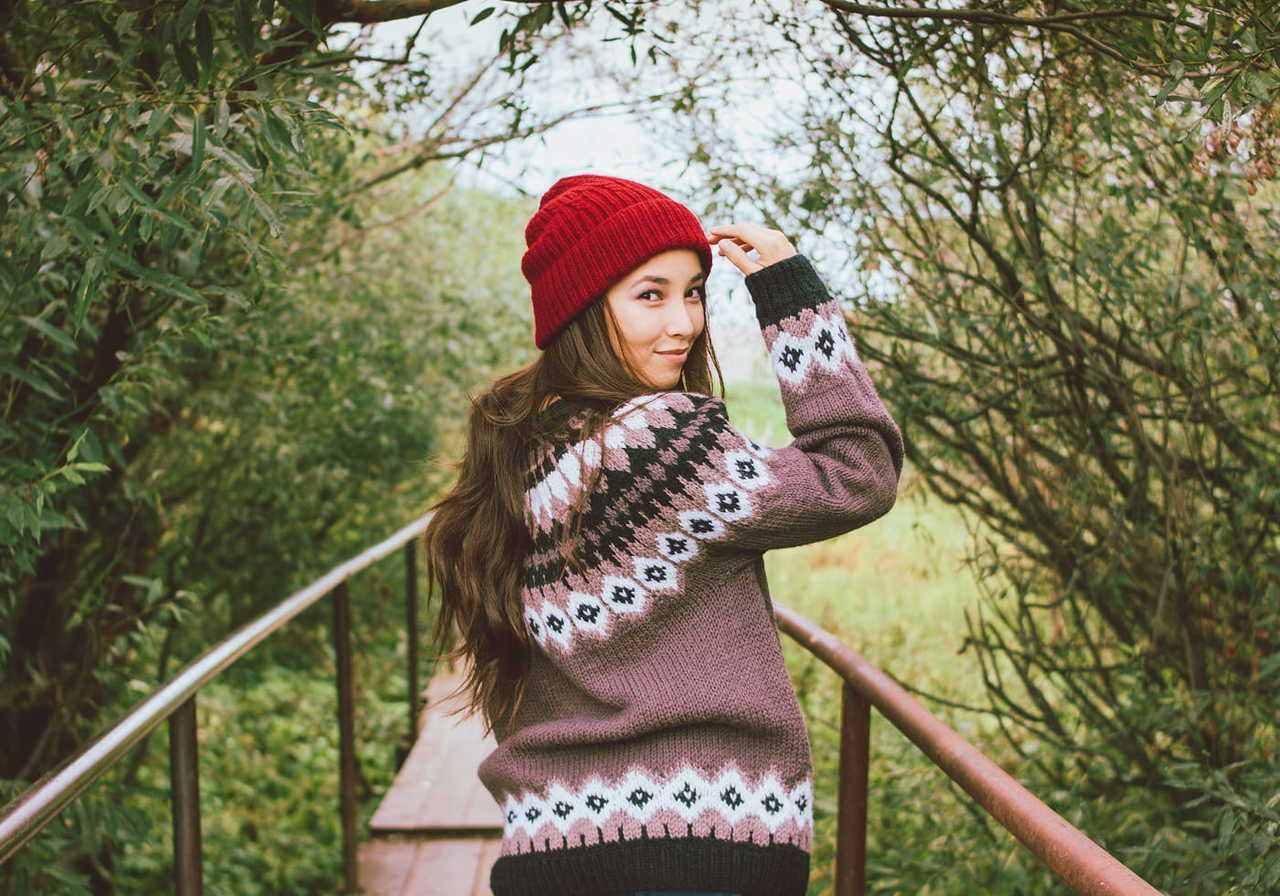
Now, let’s turn your idea into a real knitwear design that will translate cleanly onto fabric.
Instead of worrying about how many stitches fit in a square inch or which needle size a knitter would use, just focus on the layout, patterns, and color – we’ll handle the technical side of stitching your sweaters.
You have two main options to create your own sweater designs:
Printful’s Design Maker
Use our Design Maker to upload or create your graphics. It’s built to be compatible with Printful’s knitting process and removes any guesswork from your design workflow.
It handles the hard parts for you, including:
-
Enforcing the four-color limit
-
Translating shapes and text into a readable stitch grid
-
Aligning your artwork to the correct garment template
Start by:
-
Choosing your knit product from our Catalog and opening it in Design Maker
-
Adding your logo, text, or graphics
-
Testing different patterns and placements on the front, back, and sleeves
Use the mockup preview to ensure the sweater design looks good from all angles, not just in the editor. This helps make sure the final knitted design meets your expectations.
Read more: 11 Things you didn’t know Printful’s Design Maker could do


Other design tools
If you prefer Photoshop, Procreate, or other similar apps:
-
Work on a single artboard that matches the product template from the Printful knitwear design guide
-
Use no more than four solid colors in your image
-
Avoid fine lines thinner than a knit stitch and tiny text that would vanish in a stitch pattern
-
Keep shapes clean and bold, so they survive the translation from pixels to stitches
When you’re done, export a high-quality PNG and upload it to the Design Maker. There, you can position it on the knit sweater and check how it wraps around the body and sleeves before sending it to production.
For complete technical requirements, file tips, and color guidance, see the full Printful knitwear design guide.
3. Choose yarn colors and knit modes
Color decisions are where many custom knit projects fail or succeed.
In the Design Maker, you can:
-
Pick up to four yarn colors, including the base color of the garment, collar, and hem
-
Swap colors to see how they affect contrast and readability
-
Preview how each option looks in the actual knitted structure
After you set colors, choose how the system should interpret your artwork.
Solid mode
Use Solid mode if your design consists of:
-
Simple logos
-
Block text
-
Clear icons or geometric shapes
Here, each color area turns into solid blocks of stitches. This keeps edges sharp and makes the overall sweater design clean.
Pixelated mode
Use Pixelated mode if your design is:
-
Based on photos or illustrations
-
Full of texture or shading
-
More detailed than a basic logo
Pixelated mode turns your image into a controlled grid of stitches, so you keep as much detail as possible within the four-color limit. It’s a good fit when you want a more complex visual pattern.
Switch between modes and view the mockups until you find a result that fits your style and stays readable from a normal viewing distance.
4. Follow our knitwear design guidelines
To ensure a high-quality final result, follow our design guidelines closely. These tips will help you create a polished, professional piece that looks just as good in real life as it does on your screen.
Avoid low-contrast colors
Colors that look distinct on your screen might get lost in the final garment. Avoid using low-contrast colors side by side to ensure your design is clear.

Avoid designs with lots of different colors
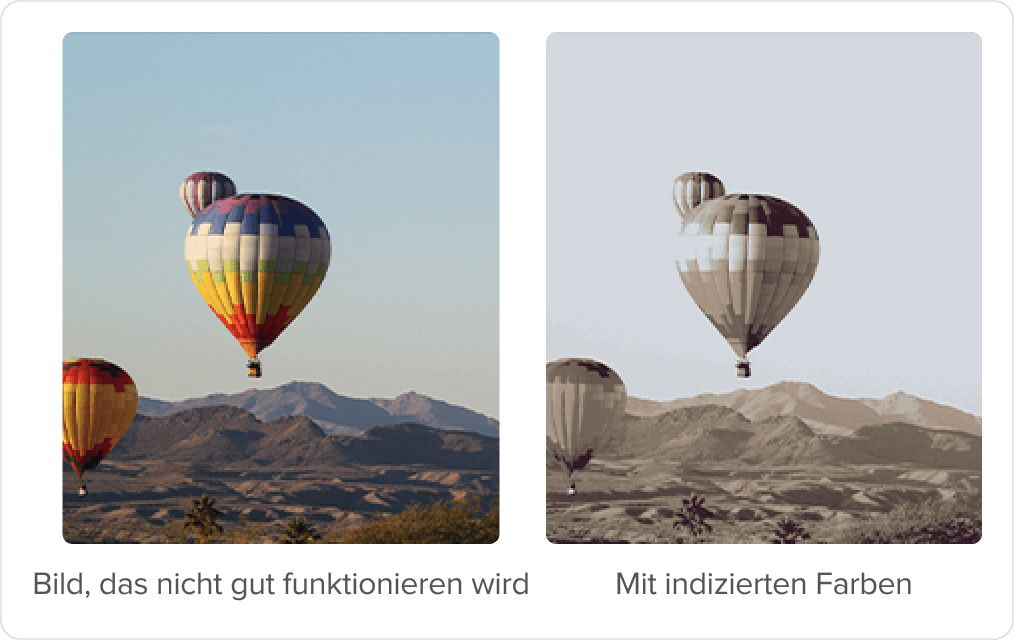
Keep in mind that the color limit for knitwear is four. Opt for images with a lower color count when working with photos or colorful graphics.
In the example below, there are too many shades to translate well into just four colors. As a result, the design elements are blurred together and don’t appear crisp.
Look out for stray pixels
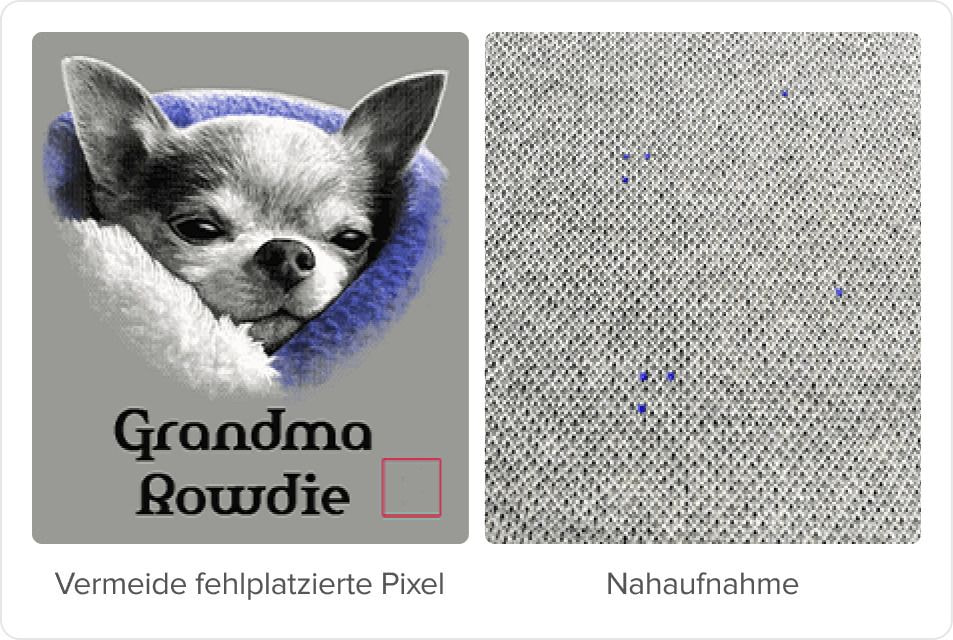
Sometimes, a stray pixel might be left on the canvas by mistake. If you don’t catch it, it’ll be knitted into the fabric just like the rest of your design and might end up looking like a stain. So double-check your artwork before uploading.
Stray pixels can be difficult to see depending on your screen’s size. If you’re working on a small screen, open and inspect the image at full size to catch errors.
Designing for multiple sizes
Never scale your artwork after it’s been indexed, or you’ll lose the color indexing. To avoid issues with blank spaces, always start your design at the largest size – it’s easier to scale down than to size up.
Keep in mind that scaling works best for similar sizes – big jumps between very large and small templates can distort your design.

Ensure proper spacing between design elements
To prevent letters or design elements from merging, make sure to leave enough space between them. For Photoshop users, leave at least 1 px of space between design elements. This will help keep everything in your design separated and readable.
5. Order samples
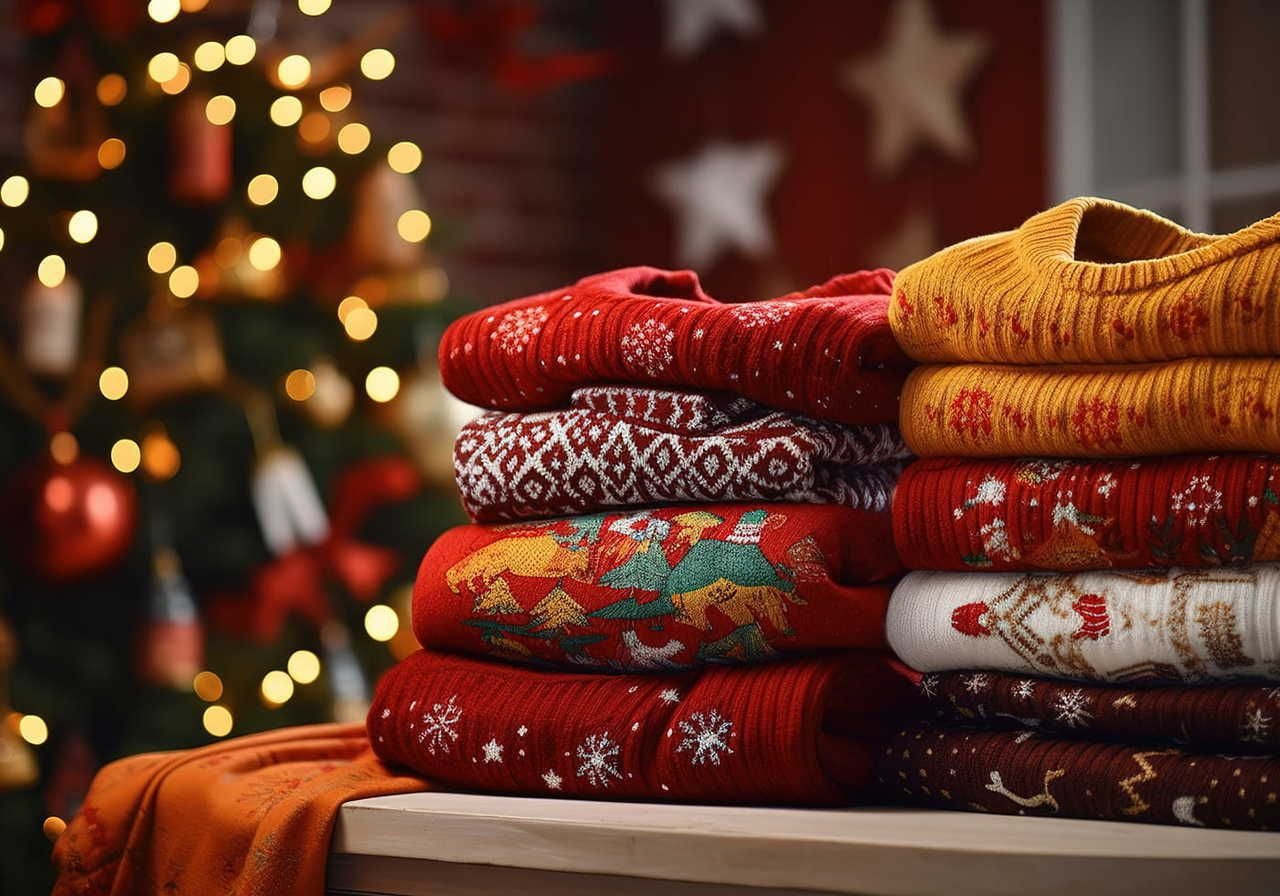
Ordering a sample helps you confirm that the colors, details, and stitch interpretation of your custom knit sweaters look the way you expect. It also lets you spot small issues, like stray pixels, before selling.
A physical sample is valuable for marketing too – real photos or videos of the texture, colors, and fit build trust and improve conversion. With a sample, you can confidently list your knitwear knowing it meets your standards in real life.
6. Start selling

Once your design and sample are ready, you can add custom knitwear to your store and start selling.
Printful connects with all major eCommerce platforms and marketplaces, including Shopify, Etsy, WooCommerce, Squarespace, Wix, BigCommerce, Amazon, eBay, TikTok Shop, and others. You can also sell through custom websites using Printful’s API.
To get started:
-
Choose your platform and connect it to Printful.
-
Add your knitwear product from the Design Maker to your store with pricing, descriptions, and photos.
-
Publish your listing and set up shipping and payment settings.
-
Promote your launch using real photos or videos of your sample or mockups from the Design Maker.
Once orders come in, Printful handles production and fulfillment on demand, so you can focus on growing your brand while offering a premium knitwear experience.
Read more: How to start an online store with Printful
Fit, shape, and construction of your custom knit sweaters
Every Printful knit sweater is built on a carefully engineered base garment, so you get consistent fit and construction across all your custom knit sweaters.
The body has a classic, slightly relaxed shape that works for everyday wear, with proportional sleeves designed to keep your artwork readable from every angle.
Around the neck, cuffs, and hem, you’ll find structured ribbing that frames your sweater design and keeps the sweater in place during wear.
The neckline and overall silhouette are standard for the product, while the all-over stitch pattern and surface patterns are fully customized to your brand.
The result is a sweater that feels comfortable to wear daily, while still looking like a unique piece created specifically for your customers.
Care, wear, and long-term quality
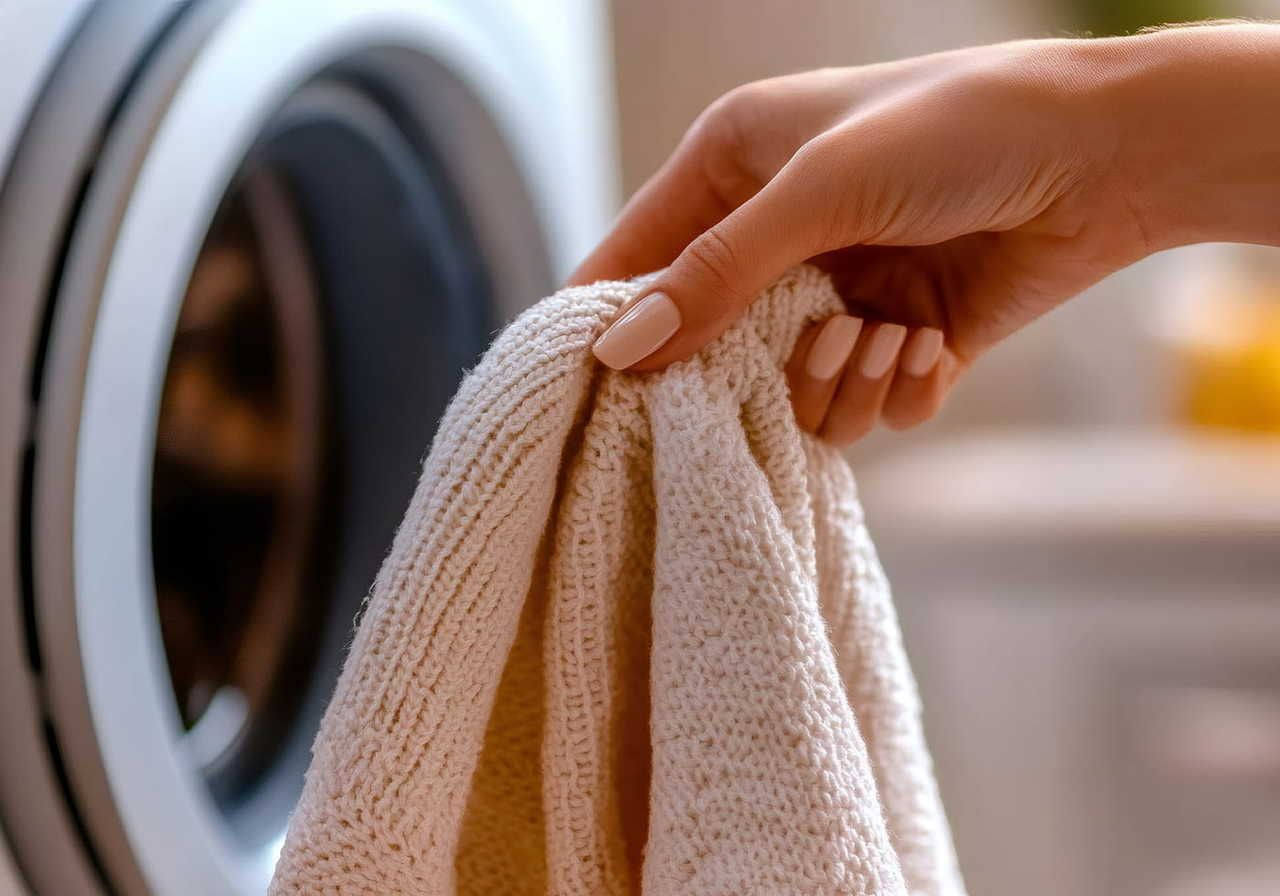
Proper care is what turns a one-season knit into a long-term favorite. When customers know how to wash and dry their custom knitwear, colors stay rich, and the stitch pattern keeps its shape.
As a seller, always include clear care instructions on your product pages to minimize complaints and returns.
How to wash your custom knit sweaters
To help your custom knit sweaters last, customers should:
-
Wash on a gentle cycle in cool water
-
Avoid bleach and harsh chemicals
-
Dry flat instead of using high heat in the dryer
These steps protect the materials, keep the garment in good shape, and reduce pilling over time.
How long will the design last?
On a Printful knit sweater, your artwork is part of the jacquard stitch pattern, not a print sitting on top. That means the design isn’t likely to crack or peel compared to some printed sweaters. The production method and consistent construction help colors and patterns stay sharp through everyday wear.
With proper care, customers get a durable piece of knit clothing that represents your brand well over the life of the sweater.
Ready to design your knitwear line?
Custom knitwear is one of the strongest ways to elevate your brand. It feels intentional, premium, and memorable – qualities that help keep customers coming back. With thoughtful designs that fit your audience’s style, your knitwear line can become a premium bestseller.
If you’re ready to build products your customers will love and remember, start designing your knitwear with Printful today.
FAQ
Start a knitwear brand by choosing your product style, creating your designs, and partnering with a manufacturer or print-on-demand provider like Printful to produce the items.
From there, set up an online store, add your knitwear listings, order samples, and begin promoting your products through social media, email, or paid marketing. Using POD lets you launch without upfront costs, inventory, or production equipment.
It’s usually cheaper to buy a sweater than to hand-knit one. Knitting requires yarn, needles, tools, and many hours of labor, which makes the total cost higher than most retail sweaters. If you use on-demand manufacturing, you can offer custom knitwear without the time or expenses of knitting it yourself.
Yes. Knitted clothes can be machine-made using industrial knitting machines that automate the stitch patterns and fabric structure. Printful’s knitwear is produced using machine-driven jacquard-style knitting, which ensures consistent quality and durability for every garment.
No. You don’t need to start knitting by hand, write a knitting pattern, or know how many stitches fit in a square inch to design custom knitwear with Printful.
Simply upload your file or create a sweater design in the Design Maker, and our jacquard knitting machine turns that into a real stitch pattern in the fabric.
You can’t upload a row-by-row written knitting pattern or sweater pattern and have the system follow it as a hand knitter would. Instead, you upload a visual file (for example, a chart turned into an image) and treat it as artwork.
As long as your knitting design for a sweater follows our main rules (max four colors, clean shapes, good contrast), the system will convert it into a jacquard stitch pattern that appears across the garment. It’s a different design process than making sweaters for hand knitting, but it gets you a similar “knit-in” look without starting from scratch.
Yes, but they need a bit of planning. Detailed illustrations and photos work best when you simplify them into clear patterns and let the Design Maker’s Pixelated style handle the translation into a knit stitch grid.
To get good results:
-
Avoid tiny details and very thin lines
-
Keep the focus of the design large and central on the body of the knit sweater
-
Make sure there’s a strong contrast between your main motif and the background
If you want a crisp logo or text-based custom sweater, the Solid style is usually a better fit than Pixelated.
Printed sweaters start as blank garments, and your design is added on top of the fabric. With custom knitwear, the garment is built from scratch using your stitch pattern and chosen yarn colors.
That means:
-
The design has texture and depth instead of a flat print
-
The artwork doesn’t crack or peel because it’s part of the fabric
-
The overall style feels closer to premium fashion than basic merch
If you want something your customers can wear for years and immediately notice the difference in real life, jacquard knit is the way to go.

Karlina is an SEO Content Writer specialist at Printful. As a firm believer in attitude over aptitude, Karlina gives her 100% whenever she works on something new. Karlina spends her free time reading, traveling, and doing yoga.

