



Table of contents
Choosing the right website builder impacts how fast you launch, how confidently you sell, and how easily your business grows. For many entrepreneurs, creatives, and small business owners, the decision often comes down to Wix vs Squarespace.
Both platforms promise beautiful websites, built-in eCommerce features, and beginner-friendly tools. But the real question isn’t which one looks better on paper – it’s which website builder fits your business goals today and can support you tomorrow.
This guide takes a deep, practical look at Wix vs Squarespace for selling online. We compare pricing, design flexibility, eCommerce tools, scalability, SEO features, and real-world use cases, including Print on Demand and dropshipping.
Key takeaways
-
The choice between Wix vs Squarespace is a trade-off between control and guided design. With Wix, you get maximum customization and a deep feature set. With Squarespace, you get a more streamlined professional look from the start.
-
For sellers comparing Wix vs Squarespace pricing, Wix stands out with a free plan and more scalable paid plans, while Squarespace pricing plans are simpler but require upgrading to avoid eCommerce transaction fees.
-
When it comes to eCommerce features and capabilities, both website builders let you sell physical and digital products, but Wix offers a larger ecosystem of eCommerce tools, apps, and integrations for dropshipping and Print on Demand.
-
In terms of SEO features, Wix provides deeper control through custom URLs, meta descriptions, and Google Search Console integration, while Squarespace covers SEO basics that work well for beginners focused on search engine visibility.
-
For growing brands, website builder scalability and site speed performance matter. Wix supports expansion through apps, custom code integration, and Wix Studio, while Squarespace performs best for smaller, design-led businesses that value simplicity over complexity.
Wix vs Squarespace: A quick comparison for online sellers
Before diving into details, here’s a quick overview of how Wix and Squarespace compare for online selling.
|
Feature |
Wix |
Squarespace |
|
Ease of use |
Beginner-friendly with a drag-and-drop editor |
Beginner-friendly but more structured |
|
Design approach |
Highly flexible with many layouts |
Curated, design-first system |
|
Templates |
Large library of Wix templates (800+) |
Fewer templates, polished options |
|
eCommerce focus |
Broad eCommerce features and app ecosystem |
Streamlined eCommerce for branded stores |
|
Pricing entry point |
Free plan available |
No free plan (paid plans only) |
|
Scalability |
Strong via apps and advanced features |
Best for small to mid-size stores |
|
SEO tools |
Robust features and integrations |
Solid SEO basics with streamlined controls |
|
Best for |
Sellers wanting flexibility and customization |
Sellers wanting simplicity and consistency |
This snapshot sets the stage, but the real differences appear once you start building, customizing, and selling.
Tip: Printful integrates with both Wix and Squarespace for a seamless selling experience.
Who is Wix best for?
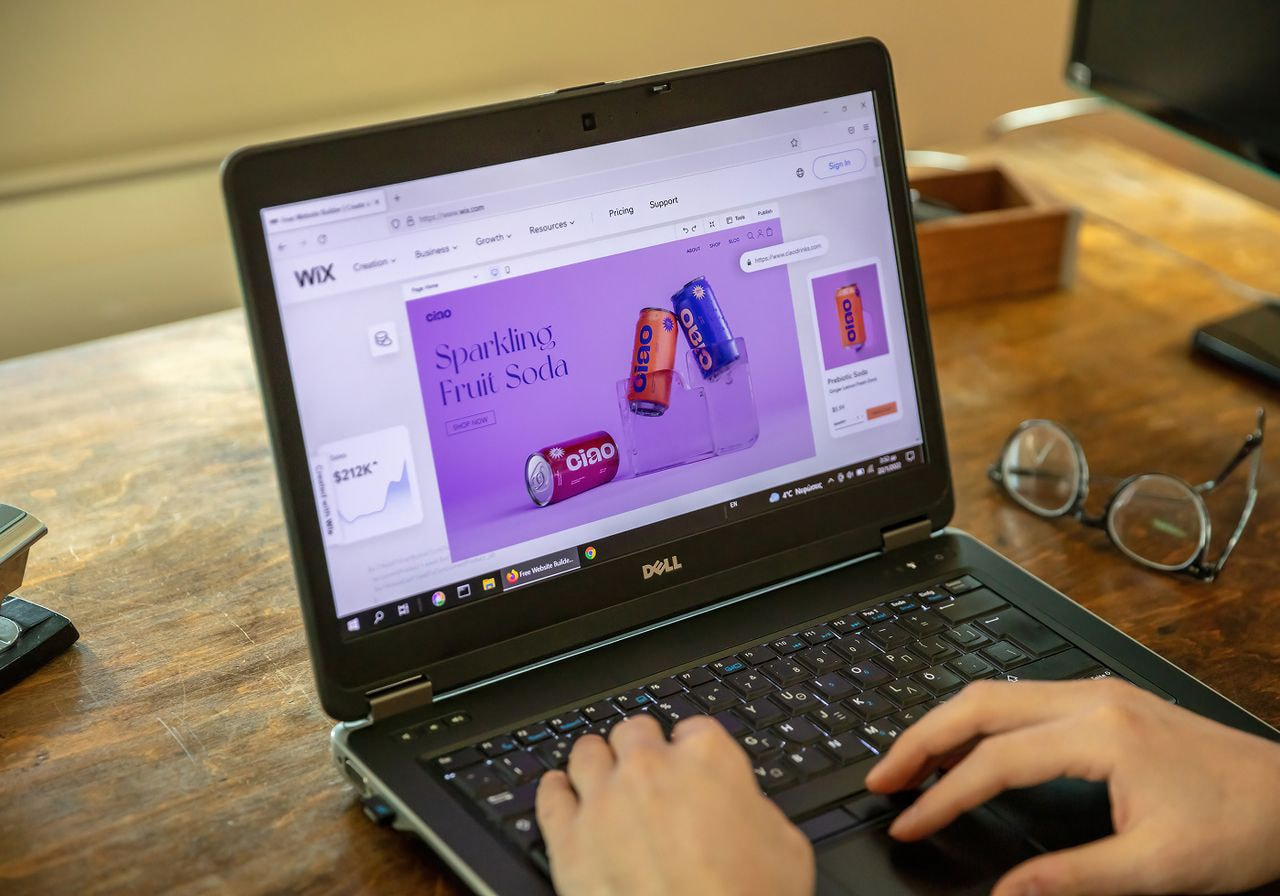
Wix is best for sellers who want maximum control over how their site looks and functions, even if they have little to no technical background. It’s especially appealing to:
-
Small businesses testing ideas quickly.
-
Sellers running multiple product types or niche stores.
-
Entrepreneurs who want advanced customization without hiring a developer.
-
Print-on-demand sellers who rely on third-party integrations.
Pros of Wix
-
Large selection of Wix templates covering hundreds of industries.
-
Flexible drag-and-drop Wix editor that allows for pixel-perfect placement.
-
Extensive App Market with eCommerce tools, marketing features, and automation.
-
Free plan to experiment with designs before upgrading.
-
Strong SEO features and direct Google Search Console integration.
-
Supports custom code integration (Velo by Wix) for advanced users.
-
Multiple payment options via Wix Payments and third-party gateways.
Cons of Wix
-
The sheer volume of flexibility can overwhelm absolute beginners.
-
Design consistency depends heavily on user decisions (no auto-alignment by default).
-
Switching templates after a site is published requires manual content migration.
-
Performance can lag if too many heavy third-party apps are installed.
In short, Wix wins on flexibility, experimentation, and scalability.
Read more: How to set up an online store with Wix Stores and Printful
Who is Squarespace best for?

Squarespace is best for sellers who value design consistency, simplicity, and brand presentation over deep customization. It’s a strong choice for:
-
Creatives selling art, photography, or digital products.
-
Small eCommerce brands with a focused catalog.
-
Service-based businesses adding an online store.
-
Sellers who want fewer setup decisions and a clean interface.
Pros of Squarespace
-
Squarespace template designs are clean, modern, and automatically responsive.
-
Built-in eCommerce capabilities that don’t require extra plugins.
-
Simple backend with fewer distractions compared to the Wix interface.
-
Squarespace offers integrated blogging tools that are often considered among the best-in-class.
-
Reliable site speed performance due to optimized hosting.
-
Squarespace payments streamline checkout for both the seller and customer.
-
Strong visual storytelling for brands that rely on high-quality imagery.
Cons of Squarespace
-
No free plan available – only a 14-day free trial.
-
Fewer customization options for layouts compared to the free-form Wix editor.
-
Limited app ecosystem, which can be restrictive for very niche business needs.
-
Advanced features like abandoned cart recovery are often locked behind higher plans.
Squarespace wins for users who want a professional website quickly, with minimal configuration and a focus on aesthetics.
Read more: How to sell print-on-demand products with Squarespace and Printful
Wix vs Squarespace: An in-depth look at features
While both platforms appear similar at first glance, the real differences emerge when you compare their specific tools. Here’s how they stack up side-by-side on design, cost, and functionality.
Ease of use
Both Wix and Squarespace are beginner-friendly website builders, but they approach ease of use differently.
Wix provides two main paths:
-
Wix AI (formerly Wix ADI), which creates a site automatically through a conversational interface.
-
Wix editor, which gives full manual control over every element.
This makes Wix attractive for beginners and advanced users alike. Wix lets you create websites fast and refine them later.
Squarespace uses a single, structured editor known as Fluid Engine. The Squarespace editor limits layout changes to a grid system, which keeps designs consistent.
For many users, this reduces decision fatigue. If you want guided simplicity, Squarespace focuses on clarity. If you want freedom, Wix offers more control.
Pricing

Price is a decisive factor for most sellers comparing Wix vs Squarespace. Both platforms offer discounts for annual subscriptions, but their entry points for selling online differ significantly.
Wix pricing overview
Wix’s free plan allows you to build a site on a free custom domain (with Wix branding). To sell online and remove ads, you must upgrade to a premium plan:
-
Light: $17 per month (billed yearly) or $24 per month (billed monthly). This plan is for basic Wix websites and does not include eCommerce features.
-
Core: $29 per month (billed yearly) or $36 per month (billed monthly). The Core plan is the entry-level option for selling online.
-
Business: $39 per month (billed yearly) or $46 per month (billed monthly). This is the recommended plan for growing stores.
-
Business Elite: $159 per month (billed yearly) or $172 per month (billed monthly). This tier provides unlimited storage and priority support.
Squarespace pricing overview
Unlike Wix, Squarespace does not offer a free plan, providing a 14-day free trial instead.
Here are the Squarespace plans:
-
Basic: $16 per month (billed yearly) or $25 per month (billed monthly). The Basic plan is primarily designed for portfolios and blogs. While you can technically sell, it carries a 2% transaction fee and isn’t optimized for full eCommerce.
-
Core: $23 per month (billed yearly) or $36 per month (billed monthly). This is the standard choice for small businesses. It allows for unlimited selling and features a 0% transaction fee on physical products.
-
Plus: $39 per month (billed yearly) or $56 per month (billed monthly). This plan is built for growing stores. It has zero transaction fees and offers a lower credit card processing rate (2.7% + $0.30) via Squarespace payments.
-
Advanced: $99 per month (billed yearly) or $139 per month (billed monthly). This is the top-tier plan for high-volume sellers. It has abandoned cart recovery, advanced shipping, and the lowest processing rate (2.5% + $0.30).
eCommerce transaction fees
Wix payments charges standard credit card processing fees, but doesn’t add an extra transaction fee on any plan.
Squarespace payments also follow standard processing rates, but users on the Basic plan pay an additional 2% online store transaction fee.
Design features and customization options

Website design flexibility is where the differences become obvious.
-
Wix templates can be heavily customized. You can move elements freely, adjust spacing, and add animations. Wix Studio further expands control for designers and agencies who want to build responsive elements using advanced tools and even AI.
-
Squarespace template designs are less flexible but visually cohesive. The platform uses a system where layout blocks snap into place on a grid, which helps reduce design errors. This ensures the site remains polished regardless of how much content you add.
For advanced users, Wix supports custom code integration via Velo. Squarespace allows limited code but does not offer full layout freedom in the same way.
If your brand relies on unique, custom-positioned layouts, Wix wins. If professional consistency and ease of maintenance matter more, Squarespace is the way to go.
Mobile optimization
Mobile optimization is essential for all eCommerce platforms.
-
Wix offers a separate mobile editor. You can adjust mobile layouts independently, hide elements, and fine-tune spacing without changing the desktop version.
-
Squarespace uses automatic responsiveness. Sites adapt across devices without manual editing because the grid system reflows the content automatically.
Wix gives control to those who want a custom mobile experience. Squarespace offers convenience for those who want their site to automatically work across devices.
Apps, integrations, and eCommerce tools
This is a major consideration when discussing Wix vs Squarespace for small businesses.
Wix offers a large app market with eCommerce tools, marketing features, and automation. These include:
-
Dropshipping apps.
-
Email marketing tools.
-
Advanced inventory management.
-
Google Shopping integration.
Squarespace lets users rely on built-in tools rather than third-party apps. This keeps the system clean but limits expansion for niche website features.
For sellers planning to use Print on Demand or dropshipping, Wix offers more specialized integrations through its extensive marketplace.
Tip:
SEO features comparison

SEO plays a critical role in long-term growth.
Wix has invested heavily in SEO features, providing:
-
Custom URLs and meta descriptions.
-
Direct Google Search Console integration.
-
Structured data support.
-
Advanced redirects.
Squarespace offers solid SEO basics, including clean URLs, editable meta descriptions, and automatic sitemaps.
However, Wix wins for sellers who want more in-depth SEO control and finer-grained visibility settings.
Scalability and site performance
Scalability in website building is critical as traffic increases, product catalogs expand, and marketing efforts start driving consistent sales. Both Wix and Squarespace support growth, but they scale in different ways.
-
Wix scales through a combination of apps, eCommerce tools, and advanced features such as Wix Studio, making it easier to adapt a Wix site as your business evolves. Sellers can extend functionality with inventory tools, automation, and custom code, though site speed may be impacted if too many heavy apps are added.
-
Squarespace performs more predictably thanks to its controlled infrastructure and tightly integrated features. This approach supports stable performance for small to mid-size online stores, but it offers fewer options for customizing how your Squarespace website handles very large inventories or complex workflows.
For fast-growing eCommerce platforms and sellers planning long-term expansion, Wix and Squarespace both work – but Wix's platform flexibility gives growing businesses more room to adjust, optimize, and scale beyond basic store setups.
Payment processing options
Both platforms have launched their own integrated systems to simplify how you get paid. Wix Payments and Squarespace Payments let you manage transactions directly from your dashboard.
Wix Payments is available in over 15 countries and supports major credit cards, Apple Pay, and Google Pay. One major advantage of Wix is its support for over 100 third-party payment gateways globally, including specialized regional providers and cryptocurrency options.
Squarespace Payments is available in the US, UK, Canada, and several European markets. It integrates seamlessly with Stripe and PayPal, and also supports Afterpay and Klarna for buy-now-pay-later options.
However, Squarespace has limited support for international gateways compared to Wix. If you’re selling in a region where standard processors aren’t available, Wix offers broader choices.
Types of goods you can sell
Both platforms support physical products, digital downloads, and subscriptions, but they have different technical limits.
Wix is well-suited for:
-
Print-on-demand products through a wide array of specialized apps.
-
Dropshipping catalogs with a limit of up to 50,000 products.
-
Mixed product types, including event tickets and restaurant orders.
Squarespace focuses on:
-
Branded physical goods and curated collections.
-
Digital products and professional services.
-
Selling premium content through built-in "Courses" and "Member Sites."
Squarespace is often preferred for smaller, high-design catalogs (under 10,000 products), while Wix offers more room for inventory growth and variety.
Customer support

Wix customer support provides 24/7 assistance in English across multiple channels. Their system includes:
-
Callback support (you request a call instead of waiting on hold).
-
Live chat during extended business hours.
-
An extensive help center with video tutorials.
Squarespace customer support is known for its high-quality written documentation and responsive team. Their options include:
-
24/7 email support.
-
Live chat (Monday through Friday).
-
Community forums for peer-to-peer troubleshooting.
While both are reliable, Wix is the better choice for users who prefer speaking on the phone, while Squarespace suits those who prefer live chat or email.
Which website builder is better for your small business?
There’s no single winner in the Wix vs Squarespace debate. The better choice depends on your specific goals and preferences.
Choose Wix if:
-
You want maximum flexibility and customization options.
-
You rely on a large variety of third-party apps and integrations.
-
You want a free plan to test your ideas before committing.
-
You plan to scale with a large or diverse inventory.
Choose Squarespace if:
-
You want a polished, professional website fast.
-
You value design consistency and a clean user interface.
-
You prefer having most features built-in rather than using apps.
-
You run a boutique online store or a service-based brand.
For print-on-demand sellers, Wix often wins due to its deeper integration with fulfillment providers. For creatives selling curated collections, Squarespace stands out with its sleek visual presentation.
Frequently asked questions
The choice between Wix vs Squarespace for small businesses depends on your control preferences. Wix suits businesses that want to experiment with layout and features. Squarespace suits sellers who want a high-end look with minimal maintenance.
There is no automated way to migrate a full site. While you can export product lists via CSV files, your design and page content must be rebuilt manually if you switch platforms.
Squarespace can be more affordable for simple stores because it includes unlimited storage and more built-in features. Wix pricing can increase if you rely on multiple paid apps from their marketplace.
Wix offers more marketing features through its App Market and AI-driven email generators. Squarespace includes essential marketing tools, such as email campaigns and social media integrations, directly in the core platform.
Both provide 24/7 assistance, but only Wix offers a phone callback service. Squarespace focuses its 24/7 efforts on email and live chat.
Final thoughts
The Wix vs Squarespace debate is not about which platform is objectively better. It’s about alignment with your workflow.
Wix wins on flexibility, integrations, and scalability. Squarespace wins on simplicity, web design consistency, and ease of maintenance. The best website builder is the one that supports your business today without limiting your growth long-term.

Published author, scholar, and musician, Andris draws on over 11 years of experience in and outside academia to make complex topics accessible – from SEO and website building to AI and monetizing art. Devoted to his family and self-confessed introvert, he loves creating things, playing musical instruments, and walking around forests.

